
Client Portal Software for Accountants: 7 Best Platforms (2026)
Compare the best client portal software for accounting firms. Secure document sharing, e-signatures, billing integration, and client communication tools for CPAs and bookkeepers.
TL;DR: Compare the best client portal software for accounting firms. Secure document sharing, e-signatures, billing integration, and client communication tools for CPAs and bookkeepers.
Introduction
Every January, the same chaos hits accounting firms: hundreds of clients need to send W-2s, 1099s, mortgage interest statements, and charitable donation receipts. And every January, the same thing happens -- a flood of emails with attachments named "scan001.pdf" that could be anything from a bank statement to a grocery receipt.
I've spent 20 years building B2B software and working with professional services firms. The pattern is always the same: firms that rely on email for client document exchange spend 30-40% of their time on administrative overhead -- chasing documents, answering status questions, and re-sending files that got buried in inboxes.
Client portal software for accountants solves this by giving each client a secure, branded login where they can upload documents, view their tax return status, download completed filings, pay invoices, and message your team -- all without sending a single email.
But here's the catch: not every portal is built for accounting. Some are designed for agencies. Others are general-purpose platforms. And a few are built specifically for tax and accounting workflows, with features like IRS e-file integration and automated organizers.
In this guide, I'll walk through 7 platforms that accounting firms actually use, covering what each does well, where it falls short, and which type of firm it fits best. I've evaluated each based on real feature sets, pricing, and the specific needs of CPAs, bookkeepers, and tax preparers.
What Accountants Need in a Client Portal
Before jumping into platform reviews, let's establish what actually matters for an accounting client portal. These requirements are different from what an agency or consulting firm needs.
1. Secure Document Collection and Storage
This is the non-negotiable. Your clients need to upload tax documents, financial statements, and sensitive records -- often containing Social Security numbers and bank account details. The portal must support:
- Bank-level encryption (AES-256 at rest, TLS 1.2+ in transit)
- Granular permissions so clients only see their own files
- Folder organization by tax year, entity, or engagement type
- Audit trails showing who uploaded, viewed, or downloaded each file
- Automatic virus scanning on uploads
If you handle any client with international operations or significant assets, SOC 2 compliance is a baseline expectation, not a nice-to-have.
2. E-Signatures
The days of printing, signing, scanning, and emailing engagement letters are over. Your portal should support e-signatures natively or through tight integration, so clients can sign Form 8879 (IRS e-file authorization), engagement letters, and other documents without leaving the platform.
Look for platforms that support KBA (knowledge-based authentication) for IRS-compliant e-signatures -- not all e-signature tools meet the IRS requirements for tax filing authorization.
3. Tax Workflow Integration
Accounting-specific portals connect directly to your practice management and tax preparation software. The most common integrations:
- QuickBooks Online / Desktop for bookkeeping clients
- Lacerte, ProConnect, UltraTax for tax preparation
- XCM, Karbon, or Canopy for workflow management
- CCH Axcess for enterprise firms
General-purpose portals typically don't offer these integrations, which means more manual data entry.
4. Client Communication Tools
Your clients want to ask questions without calling. A built-in messaging system -- ideally organized by engagement or topic -- keeps conversations in context and creates an audit trail. Secure messaging within the portal also means sensitive information stays off email.
5. Billing and Payment Collection
The best accounting portals let you send invoices and collect payments directly through the portal. Clients log in, see an outstanding balance, and pay with a credit card or ACH transfer. No more chasing checks or sending separate PayPal links.
6. Automated Organizers and Request Lists
This is the feature that separates accounting-specific portals from general ones. Tax organizers are structured questionnaires sent to clients before tax season, asking about life changes, income sources, deductions, and dependent information. Automated document request lists tell clients exactly which forms to upload, with checkboxes showing what's been received and what's still missing.
If your firm handles more than 200 individual returns, this automation saves hundreds of hours per year.
7 Best Client Portal Software for Accountants
1. AppDeck
Best for: Firms wanting a premium, white-labeled client experience beyond tax season
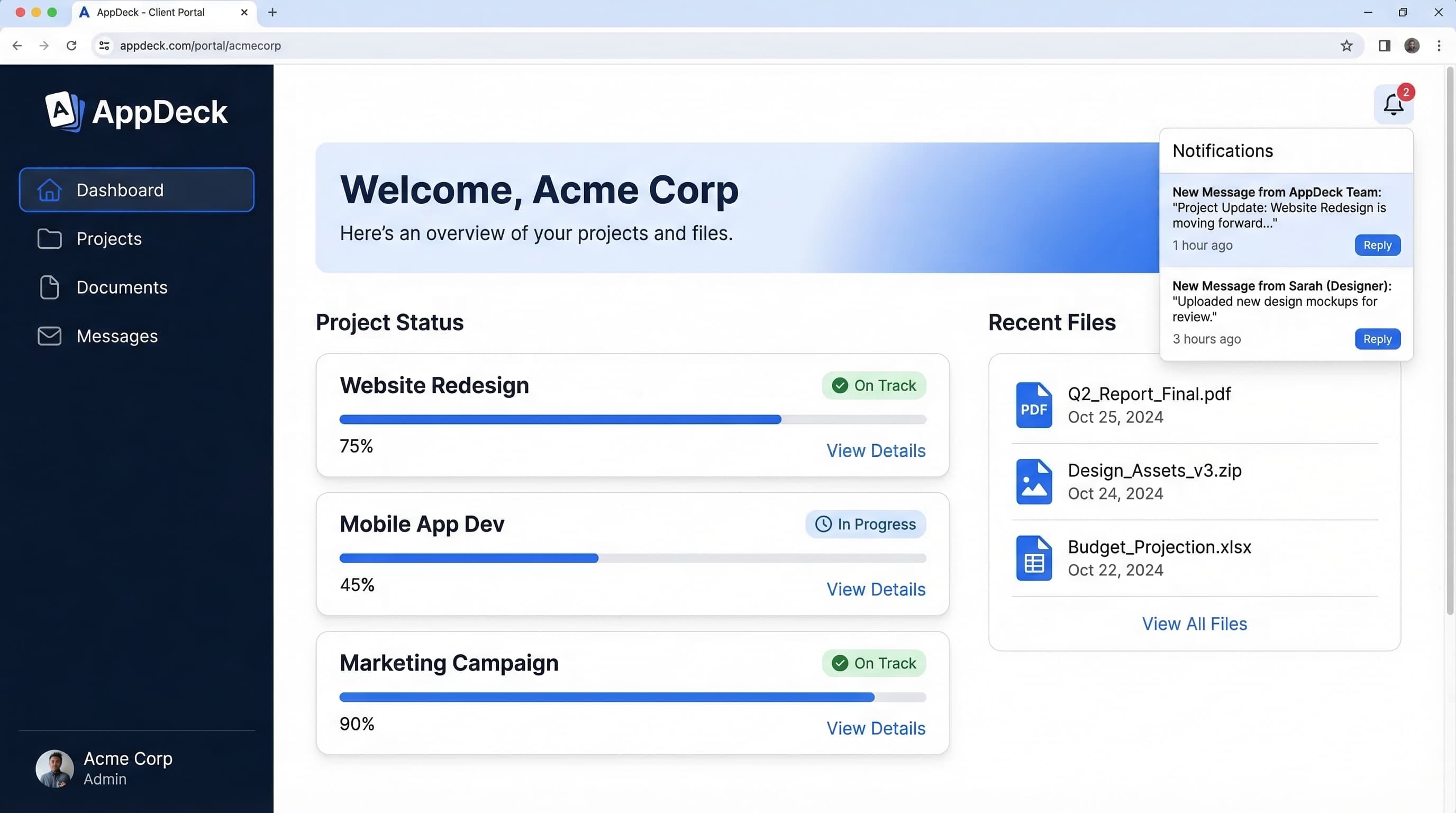
AppDeck is a general-purpose portal platform that gives accounting firms complete control over branding and client experience. It's not built specifically for tax workflows, and I want to be upfront about that -- you won't find IRS e-file integration or automated tax organizers here. What you will find is a polished, fully branded portal that makes your firm look like it built its own software.
Where AppDeck shines is for firms that serve clients year-round -- advisory, CFO services, bookkeeping, and business consulting -- where the relationship goes far beyond tax season. You can embed live dashboards pulling data from QuickBooks, Xero, or other data sources, giving clients real-time visibility into their financial metrics without scheduling a call.
Key strengths:
- Full white-label branding with custom domain (portal.yourfirm.com), your logo, your colors -- zero AppDeck branding visible to clients
- Live embedded dashboards for financial reporting and KPI tracking
- Granular document permissions and organized file sharing with version control
- SOC 2 compliant with AES-256 encryption and full audit trails
- Secure messaging organized by client and topic
- Works year-round for advisory, bookkeeping, and consulting engagements
Limitations:
- No built-in tax organizers or automated document request lists
- No native integration with tax prep software (Lacerte, UltraTax, etc.)
- No IRS-compliant e-signature for Form 8879 (you'd use a separate tool like DocuSign)
- Not designed for high-volume tax return workflows
- Overkill if your firm only interacts with clients during tax season
Pricing: Starting at $199/month. No per-client fees.
Best fit: Advisory-focused firms, fractional CFO practices, bookkeeping firms, and accounting practices that want a professional client experience for year-round engagements. If you already have a tax workflow tool and need a better front door for your client relationships, AppDeck is worth evaluating.
2. Canopy
Best for: Small to mid-size firms wanting an all-in-one practice management and portal solution
Canopy is one of the most popular choices among accounting firms, and for good reason. It combines practice management, document management, client portal, e-signatures, and billing into a single platform built specifically for CPAs and tax professionals.
The client portal gives your clients a clean interface to upload documents, sign engagement letters, pay invoices, and message your team. On your side, you get workflow management, automated task assignments, and a built-in CRM that tracks every client interaction.
Key strengths:
- Built specifically for accounting and tax firms
- Integrated e-signatures with IRS-compliant KBA authentication
- Document management with automated organizer templates
- Built-in billing with online payment collection (credit card and ACH)
- Practice management with workflow automation and task tracking
- IRS transcript pulling directly from the platform
- Integrates with QuickBooks, Xero, FreshBooks
Limitations:
- Interface can feel cluttered -- there's a learning curve
- Mobile experience is functional but not polished
- Pricing adds up as you add modules (each feature area is a separate add-on)
- Reporting and analytics are basic compared to standalone BI tools
- Some firms report slow performance with large document libraries
Pricing: Starts at $66/month for the basic portal; full suite (workflow + portal + document management + e-signatures) runs $150-250/month depending on firm size. Per-user pricing applies.
Best fit: Firms with 2-20 staff who want to consolidate their tech stack into one platform. Especially strong for tax-heavy practices that need organizers, e-signatures, and IRS transcript access in one place.
3. TaxDome
Best for: Tax-focused firms that want the deepest accounting-specific feature set
TaxDome has become the fastest-growing portal in the accounting space, and it's easy to see why. It's built from the ground up for accounting firms, with every feature designed around tax and bookkeeping workflows.
The client portal is tightly integrated with everything else -- CRM, workflow automation, time tracking, invoicing, proposals, and e-signatures. Clients get a mobile app (which actually works well), and the organizer/questionnaire system is one of the most flexible I've seen.
Key strengths:
- Purpose-built for accounting firms with deep tax workflow integration
- Excellent client-facing mobile app for iOS and Android
- Automated tax organizers with conditional logic (questions change based on answers)
- Built-in proposals and engagement letters with e-signatures
- Unlimited document storage on all plans
- Secure messaging with read receipts
- Supports SMS reminders and email nudges to drive client action
- Integrates with QuickBooks Online, Xero, Zapier, and others
Limitations:
- Steep learning curve -- full setup takes 2-4 weeks for most firms
- The all-in-one approach means you're replacing multiple tools at once, which is disruptive
- Limited customization of the client portal's visual design compared to white-label platforms
- Reporting dashboards are firm-focused, not client-facing
- No native integration with desktop tax software like Lacerte or UltraTax (works through file import/export)
Pricing: Starts at $66/month for solo practitioners; firm plans start at $100/month for up to 5 team members. All plans include unlimited clients and storage.
Best fit: Tax-first firms that want to go all-in on a single platform. If you prepare more than 300 returns per year and want to automate the entire client lifecycle -- from engagement letter to final delivery -- TaxDome is the strongest option.
4. Karbon
Best for: Growth-oriented firms that prioritize workflow management and team collaboration
Karbon positions itself as a practice management platform first and a client portal second. Its strength is in how it manages internal workflows -- task assignments, team collaboration, email integration, and client communication all flow through a single system.
The client portal (called "Client Tasks") lets you send document requests and questionnaires to clients, who complete them through a clean web interface. It's more streamlined than Canopy or TaxDome's portals, but also less feature-rich on the client-facing side.
Key strengths:
- Best-in-class workflow and task management for accounting teams
- Email integration pulls client emails directly into the platform (works with Gmail and Outlook)
- Automator feature creates repeatable workflows for recurring engagements
- Client Tasks feature provides a simple, clean interface for document collection
- Strong team collaboration with @mentions, comments, and activity feeds
- Triage system for managing incoming client requests
- Integrates with QuickBooks, Xero, ATO (Australian firms), and 1,000+ apps via Zapier
Limitations:
- Client portal is more limited than dedicated portal platforms -- no document storage/browsing, no invoicing through the portal
- No built-in e-signatures (requires integration with DocuSign or similar)
- No built-in billing or payment collection through the client-facing portal
- The platform is workflow-focused, so the client experience feels transactional rather than premium
- Pricing is per-user, which gets expensive for larger teams
Pricing: Starts at $80/user/month (Team plan); Business plan at $100/user/month adds automations and advanced features. Minimum 5 users on some plans.
Best fit: Firms with 10-50 employees that need to systematize their workflows and want a unified platform for team collaboration. Best for firms where internal efficiency matters more than a premium client-facing experience.
5. Liscio
Best for: Firms that want to replace email and text messaging with a secure, mobile-first communication platform
Liscio takes a different approach than the other platforms on this list. Instead of trying to be an all-in-one practice management tool, it focuses specifically on client communication and document exchange. Think of it as "secure texting for accountants."
The client experience is intentionally simple: clients download the Liscio app (or use the web portal), and they can message your team, upload documents by taking a photo with their phone, sign documents, and complete requests -- all through an interface that feels as easy as texting.
Key strengths:
- Excellent mobile app that clients actually enjoy using
- "Snap and send" document capture -- clients photograph documents with their phone camera
- Simple, intuitive interface with minimal learning curve for clients and staff
- Built-in e-signatures
- Secure messaging that replaces email for sensitive communications
- Document request lists with status tracking
- Integrates with most practice management tools (Canopy, Karbon, CCH Axcess, etc.)
Limitations:
- Not a practice management tool -- you'll still need separate software for workflows, billing, and tax prep
- No built-in invoicing or payment collection
- Limited document organization compared to full document management systems
- No client-facing dashboards or reporting
- Portal branding customization is minimal
- No tax organizer questionnaires (only document request checklists)
Pricing: Starts at $60/user/month. Volume discounts available for larger firms.
Best fit: Firms that already have a practice management tool they're happy with and just need a better way to communicate with clients and collect documents. Especially strong for firms whose clients are not tech-savvy -- the mobile app's simplicity drives high adoption.
6. SmartVault
Best for: Document-heavy firms that need bank-level security and compliance features
SmartVault is a document management and client portal platform used heavily by accounting firms, particularly those with strict compliance requirements. It integrates directly with Intuit's tax products (Lacerte and ProConnect), which makes it a natural choice for firms in that ecosystem.
The client portal gives clients a secure place to upload and download documents, organized by folder. It's not flashy, but it's reliable and secure.
Key strengths:
- Deep integration with Lacerte, ProConnect, and QuickBooks
- Strong security posture with SOC 2 compliance, AES-256 encryption, and detailed audit trails
- Automatic filing -- documents from tax software are automatically organized in the portal
- Built-in e-signatures with KBA authentication
- DRL (Document Request Lists) automate the collection process
- Unlimited storage on most plans
- Supports custom branding with your firm's logo
Limitations:
- The interface feels dated compared to newer platforms -- it hasn't had a major design refresh in several years
- No built-in messaging or communication tools -- clients can't send messages through the portal
- No billing or payment collection
- No workflow management or practice management features
- Setup requires mapping folder structures, which takes time upfront
- Client adoption can be lower because the portal experience isn't as intuitive as newer tools
Pricing: Starts at $28/user/month (minimum 2 users). Most firms end up on the $56/user/month plan for full portal features and e-signatures.
Best fit: Firms that are deep in the Intuit/Lacerte ecosystem and prioritize document security over client experience. If your primary need is a secure vault for exchanging tax documents and you don't need messaging, billing, or dashboards, SmartVault is a solid, proven choice.
7. Client Hub
Best for: Bookkeeping firms and small accounting practices that want simplicity
Client Hub is a newer entrant designed specifically for bookkeeping and small accounting firms. It focuses on three things: client communication, document collection, and recurring task management. The platform is intentionally lean -- there's no attempt to be an all-in-one solution.
The client portal gives clients a simple interface to respond to requests, upload documents, and communicate with your team. For bookkeeping firms running monthly or quarterly engagements, the recurring request feature is the standout -- you can automate "send me your bank statements" requests on a schedule.
Key strengths:
- Purpose-built for bookkeeping workflows with recurring engagement support
- Clean, simple client interface that's easy to adopt
- Recurring document requests with automated reminders
- Built-in messaging with file sharing
- Quick setup -- most firms are running within a day
- Affordable pricing for small firms
- Integrates with QuickBooks Online, Xero, and Zapier
Limitations:
- Limited feature set compared to all-in-one platforms -- no e-signatures, no billing, no tax organizers
- No white-label branding (Client Hub branding is visible)
- Basic document organization -- no folder structures or advanced permissions
- No client-facing dashboards or reporting
- Not suitable for tax preparation workflows
- Small company with a smaller support team
Pricing: Starts at $49/month for up to 30 clients. Growth plan at $89/month for unlimited clients.
Best fit: Solo bookkeepers and small bookkeeping firms (1-5 people) that need a simple, affordable way to collect documents and communicate with clients on a recurring basis. If you're not doing tax prep and don't need advanced features, Client Hub gets the job done without the complexity.
Comparison Table
| Platform | Best For | Tax-Specific | E-Signatures | Billing | White-Label | Starting Price |
|---|---|---|---|---|---|---|
| AppDeck | Year-round advisory | No | Via integration | Via integration | Full | $199/mo |
| Canopy | All-in-one for CPAs | Yes | Built-in (KBA) | Built-in | Partial | $66/mo |
| TaxDome | Tax-first firms | Yes | Built-in | Built-in | Partial | $66/mo |
| Karbon | Workflow-focused firms | Partial | Via integration | No | No | $80/user/mo |
| Liscio | Mobile communication | Partial | Built-in | No | Minimal | $60/user/mo |
| SmartVault | Document security | Yes (Intuit) | Built-in (KBA) | No | Partial | $28/user/mo |
| Client Hub | Small bookkeeping | No | No | No | No | $49/mo |
How to Choose: A Decision Framework
After looking at all seven platforms, the right choice depends on your firm's profile. Here's how I'd think about it:
Start with your firm type
Tax preparation is your primary service: TaxDome or Canopy. Both are built for the tax lifecycle. TaxDome has the edge on client experience and organizers; Canopy has the edge on practice management breadth and IRS transcript access.
Bookkeeping is your primary service: Client Hub for simplicity and affordability. AppDeck if you want to deliver a premium, branded experience with live dashboards showing client financials.
Advisory, fractional CFO, or consulting: AppDeck. The white-label branding and embedded dashboards create a client experience that positions your firm as a premium provider, not just a compliance shop.
Mixed practice (tax + bookkeeping + advisory): TaxDome for the tax side, potentially with AppDeck for your advisory clients. Or Canopy if you want a single platform that covers most needs.
Consider your team size
- Solo practitioner: TaxDome (solo plan), Client Hub, or Liscio
- 2-10 people: Canopy, TaxDome, or SmartVault
- 10-50 people: Karbon (for workflow management), Canopy, or a combination approach
- 50+ people: Karbon or Canopy for workflows, with SmartVault or AppDeck for the client portal layer
Evaluate your existing tech stack
If you're already using Lacerte or ProConnect, SmartVault's native integration saves significant time. If you're on Karbon for practice management, adding Liscio for client communication creates a strong combination without switching everything. If you're starting fresh or willing to switch, TaxDome and Canopy offer the most integrated experience.
Think about client experience vs. internal efficiency
This is the real tradeoff. Platforms like TaxDome, Canopy, and Karbon are built to make your internal operations more efficient. Platforms like AppDeck and Liscio are built to make the client experience better. SmartVault and Client Hub sit somewhere in between.
For most firms, internal efficiency drives the buying decision. But if you're competing on service quality -- if your clients are choosing between you and the firm down the street based on experience -- investing in the client-facing side pays off through retention and referrals.
Frequently Asked Questions
What is client portal software for accountants and what does it replace?
Client portal software for accountants is a secure, branded web platform where each client logs in to upload tax documents, sign engagement letters and Form 8879, view return status, download completed filings, pay invoices, and message your team. It replaces three things firms typically cobble together: email with attachments for document exchange, Dropbox or Google Drive for file storage, and a separate e-signature tool like DocuSign for engagement letters. For tax-focused firms, it also replaces printed organizers with automated digital questionnaires that branch based on client answers.
How is accounting-specific portal software different from general client portals?
Accounting-specific portals like TaxDome, Canopy, and SmartVault include tax organizers with conditional logic, IRS-compliant KBA e-signatures for Form 8879, native integrations with tax prep tools (Lacerte, ProConnect, UltraTax), automated document request lists tied to engagement type, and practice management workflows for return preparation. General portals like AppDeck or Liscio give you stronger branding and a better client experience but lack the tax-specific automation. The right choice depends on whether your primary service is tax (use accounting-specific) or year-round advisory and bookkeeping (general portals work fine).
How much does client portal software for accountants cost?
Pricing ranges from $28/user/month for SmartVault's entry tier to $250/month for fully loaded Canopy with workflow, billing, and e-signatures. Most small to mid-size firms land in the $99 to $199 monthly range. TaxDome and Canopy start at $66/month for solo practitioners. Karbon and Liscio are per-user at $60 to $100/user/month, which scales with team size rather than client count. AppDeck starts at $199/month with no per-client fees. Add roughly $50 to $100 per month for a dedicated e-signature tool if your portal doesn't include IRS-compliant signatures natively.
Which accountants benefit most from each platform?
Solo tax preparers and small firms with 1 to 5 staff get the best fit from TaxDome or Canopy for tax-heavy work, or Client Hub for bookkeeping-only practices. Firms with 10 to 50 employees doing both tax and advisory often use Karbon for internal workflows paired with a client-facing portal like Liscio or AppDeck. Fractional CFO and advisory practices benefit most from AppDeck because the white-label branding and embedded dashboards reinforce premium positioning. Firms deep in the Intuit ecosystem (Lacerte, ProConnect, QuickBooks) should default to SmartVault for its native integrations.
When should an accounting firm switch portals or run two in parallel?
Switch portals when your current tool is causing client adoption below 50 percent, when you're paying for features you don't use, or when your service mix has shifted (e.g., from tax-only to advisory) and the portal no longer fits. Running two portals in parallel makes sense for mixed practices: TaxDome or Canopy for tax season clients who need organizers and e-signatures, plus AppDeck or Liscio for advisory clients where branding and ongoing communication matter more. Avoid switching mid-tax-season—plan migrations for May through September when client document volume is lowest.
Conclusion
The accounting client portal market in 2026 has matured significantly. You're no longer choosing between "email and a shared Dropbox folder" versus "one mediocre portal tool." There are genuine options at every price point and for every firm type.
My recommendation: start with the problem you're solving. If tax season document collection is your bottleneck, go with an accounting-specific tool like TaxDome or Canopy. If your firm is moving toward year-round advisory and you want a client experience that reflects that positioning, a platform like AppDeck gives you a branded, professional portal without locking you into a tax-specific ecosystem.
Whatever you choose, the bar for client experience in professional services is rising. Your clients manage their banking, investments, and insurance through polished digital portals. They expect the same from their accountant. Meeting that expectation isn't just about efficiency -- it's about how your firm is perceived.
Related Reading

Founder & CEO, AppDeck
Serial entrepreneur with 20+ years building B2B software companies. Former executive managing 2,800+ employees across three continents. Vik reviews all AppDeck content for accuracy and practical relevance.
Share this article
Explore Related Solutions
Related Articles
Client Portal Software for Law Firms: 7 Best Platforms (2026)
Compare the best client portal software for law firms. Secure document sharing, case updates, billing transparency, e-signatures, and client communication tools for attorneys.
Client Portal Software: 10 Best Platforms for 2026 (Complete Guide)
Compare the 10 best client portal software platforms for 2026. Features, pricing, and honest reviews for agencies, consultants, law firms, and professional services.
Client Onboarding Portal: How to Build One That Reduces Time-to-Value by 50%
Learn how to build a client onboarding portal that automates intake, collects documents, and gets clients to value faster. Step-by-step guide with examples and tool recommendations.