
CEO Dashboard: 10 Metrics Every CEO Should Track in 2026
The 10 most important CEO dashboard metrics for 2026. Revenue, growth, customer health, team performance, and strategic KPIs with visualization tips and real-world examples.
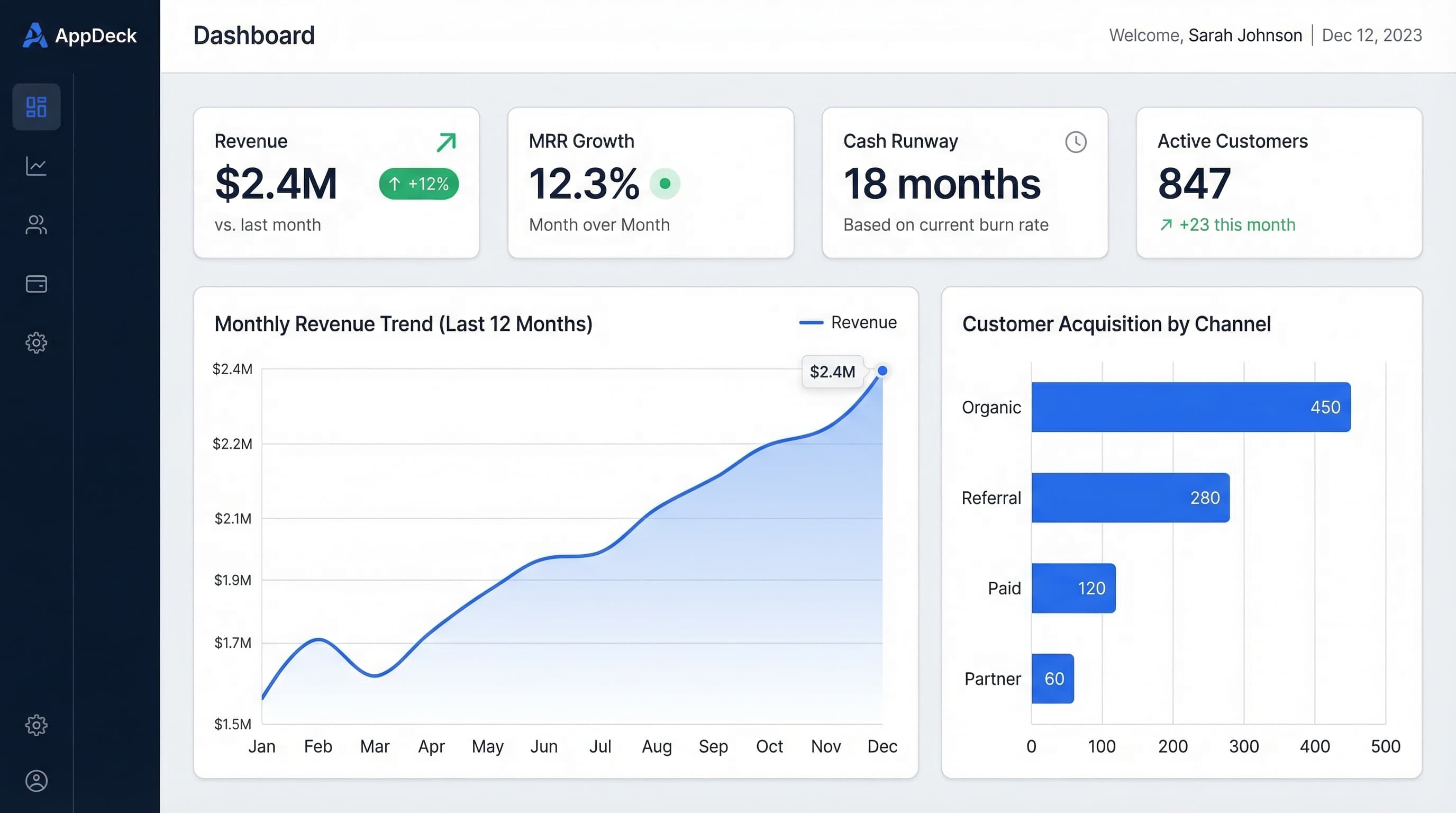
TL;DR: The 10 most important CEO dashboard metrics for 2026. Revenue, growth, customer health, team performance, and strategic KPIs with visualization tips and real-world examples.
Introduction
A CEO dashboard should answer the only question that matters at any given moment: Is the business on track?
After 15+ years helping founders and CEOs build dashboards across SaaS companies, agencies, and professional services firms, I've watched hundreds of leaders drown in data while missing the signals that actually move the needle. The best CEO dashboards I've built share one thing in common: they surface the 10 metrics that connect financial performance, customer health, team capacity, and strategic progress into a single view.
This guide walks through the 10 metrics every CEO should track in 2026, how to visualize each one for maximum clarity, and how to design a dashboard that drives decisions instead of collecting dust.
See also: Executive Dashboard Design Best Practices — 10 design principles for dashboards CEOs and boards actually read.
Why CEOs Need a Dedicated Dashboard
The Problem: Information Scattered Everywhere
Most CEOs piece together their view of the business from:
- ❌ Weekly reports from 5+ department heads (each formatted differently)
- ❌ Slack messages and email threads with partial data
- ❌ Board decks that are outdated by the time they're presented
- ❌ Spreadsheets that break when someone edits the wrong cell
- ❌ Gut feeling when the numbers aren't readily available
- ❌ Monthly all-hands where problems surface too late
The Solution: A Single Source of Truth
A well-designed CEO dashboard delivers:
- ✅ One view of the entire business, updated in real time
- ✅ Early warning signals before small problems become crises
- ✅ Confidence walking into any board meeting, investor call, or all-hands
- ✅ Faster decisions based on data, not gut instinct
- ✅ Alignment across the leadership team on what matters
- ✅ 70% less time spent chasing status updates
Result: CEOs who use real-time dashboards spend 5-8 fewer hours per week gathering information, and catch issues 2-3 weeks earlier than those relying on periodic reports.
The 10 Essential CEO Dashboard Metrics
Your dashboard should tell a complete story. These 10 metrics cover the four pillars every CEO needs to monitor: financial performance, growth trajectory, customer health, and organizational capacity.
1. Monthly Recurring Revenue (MRR) / Annual Recurring Revenue (ARR)
What it shows: The predictable revenue engine of your business
How to display:
MRR: $680K (+9% MoM) ✅
ARR: $8.16M (target: $10M EOY)

MRR Breakdown:
New MRR:        +$82K
Expansion MRR:  +$21K
Churn MRR:      -$18K
Net New MRR:    +$85K
Best visualization: Line chart showing MRR trend over the last 12 months with a target line overlay. Add a stacked bar beneath it breaking out new, expansion, and churned MRR components.
Why it matters for CEOs: MRR is your company's heartbeat. Unlike total revenue, it strips out one-time payments and shows whether your recurring engine is accelerating or stalling. The breakdown into new, expansion, and churn tells you where growth is coming from and where it's leaking.
Red flag: Net New MRR declining for 2+ consecutive months. This usually signals either a pipeline problem (new), a product-market fit issue (expansion), or a customer success gap (churn).
2. Revenue Growth Rate
What it shows: How fast the business is growing, and whether it's accelerating or decelerating
How to display:
MoM Growth: +9.2% ✅
QoQ Growth: +31%
YoY Growth: +142%

Quarterly Growth Trend:
Q1 2025: +28%
Q2 2025: +30%
Q3 2025: +29%
Q4 2025: +31% ⬆️ stable acceleration
Q1 2026: +31%
Best visualization: A combination chart with bars showing quarterly revenue and a line showing the growth rate percentage. Highlight whether growth is accelerating, stable, or decelerating with a simple arrow indicator.
Why it matters for CEOs: Boards and investors don't just care about growth—they care about the growth trend. A company growing at 30% QoQ and accelerating tells a fundamentally different story than one growing at 30% and decelerating. This metric lets you spot inflection points early.
Benchmark:
Best-in-class SaaS (Series B+): 15-25% QoQ
Strong growth: 10-15% QoQ
Healthy: 5-10% QoQ
Concerning: Under 5% QoQ
3. Gross Margin
What it shows: How much revenue you keep after direct costs of delivering your product
How to display:
Gross Margin: 76% ✅
Target: 75%+
Last Quarter: 74% (improving ⬆️)

Breakdown:
Revenue:         $680K
COGS:            $163K
  - Hosting:     $58K
  - Support:     $72K
  - Third-party: $33K
Gross Profit:    $517K
Best visualization: A gauge chart showing current gross margin against target, paired with a trend line showing the last 6-8 quarters. A waterfall chart showing the COGS breakdown gives immediate visibility into cost drivers.
Why it matters for CEOs: Gross margin reveals whether your business model is fundamentally sound. A SaaS company with declining gross margin might be spending too much on infrastructure or support—costs that scale with revenue and eat into profitability. This is the metric that tells you if growth is actually creating value.
Benchmark:
Elite SaaS: 80%+
Strong SaaS: 70-80%
Acceptable: 60-70%
Warning: Under 60%
4. Cash Runway
What it shows: How many months you can operate at current burn before running out of cash
How to display:
Cash Balance: $4.2M ✅
Monthly Net Burn: $285K
Runway: 14.7 months ✅

Projections:
Current trajectory:         Jun 2027
With 15% revenue growth:    Oct 2027
Worst case (-10% revenue):  Mar 2027

Next fundraise target: Q4 2026
Best visualization: A declining area chart showing projected cash balance over the next 18 months, with three scenario lines (base case, best case, worst case). Add a horizontal red line at zero to make the "cash-out date" visually unmistakable.
Why it matters for CEOs: Cash runway is the single most important survival metric. It dictates your strategic timeline—whether you can invest in new products, how aggressively you can hire, and when you need to start fundraising. Running out of cash is the only way a company truly dies.
Rule of thumb:
Comfortable: 18+ months
Healthy: 12-18 months
Attention needed: 6-12 months ⚠️
Critical: Under 6 months 🚨
5. Customer Acquisition Cost (CAC)
What it shows: How much you spend to acquire each new customer
How to display:
Blended CAC: $3,800 ✅
Target: Under $4,500

By Channel:
Paid (Google/LinkedIn): $5,200
Content/SEO:            $1,400
Referral:               $900
Outbound Sales:         $4,800

Trend: Down from $4,300 last quarter ✅
Best visualization: A bar chart comparing CAC by acquisition channel, with a trend line showing blended CAC over the last 6 quarters. Color-code channels by efficiency (green for under target, yellow for near target, red for over).
Why it matters for CEOs: CAC tells you whether your growth engine is efficient or expensive. More importantly, the channel breakdown reveals where to invest more and where to cut. A CEO who sees organic CAC at $1,400 vs paid at $5,200 knows exactly where the next marketing dollar should go.
Important context: Always pair CAC with LTV (next metric). A high CAC is fine if LTV is proportionally higher.
6. Customer Lifetime Value (LTV)
What it shows: The total revenue you can expect from a customer over their entire relationship with you
How to display:
LTV: $22,500 ✅

Calculation:
ARPU: $850/month
Gross Margin: 76%
Monthly Churn: 2.8%
LTV = ($850 x 0.76) / 0.028 = $23,071

LTV:CAC Ratio: 5.9:1 ✅
Target: 3:1+

CAC Payback Period: 8.2 months ✅
Target: Under 18 months
Best visualization: A single large number for LTV with the LTV:CAC ratio displayed prominently beside it. Below, show a cohort retention chart illustrating how customer revenue behaves over time (month 1, month 6, month 12, etc.). This makes the LTV calculation tangible.
Why it matters for CEOs: LTV is the counterpart to CAC. Together, they answer the fundamental question: "Are we creating more value than we spend to acquire customers?" An LTV:CAC ratio above 3:1 generally means your unit economics support sustainable growth.
Benchmark:
Excellent: LTV:CAC 5:1+
Good: LTV:CAC 3:1 to 5:1
Acceptable: LTV:CAC 2:1 to 3:1
Unsustainable: LTV:CAC under 2:1
7. Net Promoter Score (NPS) / Customer Satisfaction (CSAT)
What it shows: How customers feel about your product and whether they would recommend it
How to display:
NPS: 52 ✅
Target: 40+
Industry Average: 36

Distribution:
Promoters (9-10):   62%
Passives (7-8):     28%
Detractors (0-6):   10%

CSAT (Support): 4.6/5.0 ✅
CSAT (Onboarding): 4.2/5.0 ⚠️
Best visualization: A horizontal bar showing the NPS distribution (promoters, passives, detractors) with the NPS score overlaid. Pair it with a trend line showing NPS over the last 4-6 quarters. For CSAT, use a simple scorecard with sparklines.
Why it matters for CEOs: NPS is a leading indicator. Declining NPS predicts rising churn 3-6 months before it shows up in revenue numbers. It's the earliest warning system you have for customer health problems. A CEO who sees NPS dropping from 52 to 38 over two quarters can intervene before customers start leaving.
Benchmark:
World-class: 70+
Excellent: 50-70
Good: 30-50
Needs work: 10-30
Concerning: Under 10
8. Employee Headcount & Retention
What it shows: Team size, growth, and stability
How to display:
Total Headcount: 68 (target: 75 by Q2) ✅
Open Roles: 7

Retention Rate (trailing 12 months): 88% ⚠️
Target: 90%+
Voluntary Turnover: 9%
Involuntary Turnover: 3%

Department Breakdown:
Engineering:    28 (3 open)
Sales:          15 (2 open)
Marketing:       8 (1 open)
Customer Success: 9 (1 open)
G&A:             8 (0 open)

Revenue per Employee: $120K ARR ⚠️
Target: $150K+
Best visualization: A stacked area chart showing headcount by department over time, with a separate line chart for retention rate. Use a simple table for the department breakdown with open roles highlighted. Revenue per employee works well as a gauge or large number with trend.
Why it matters for CEOs: Your team is your most expensive asset and your biggest competitive advantage. Retention rate is a leading indicator of organizational health—if great people are leaving, something is broken in culture, compensation, or leadership. Revenue per employee shows whether you're scaling efficiently or just adding headcount.
Red flags:
- Retention below 85% (you're losing institutional knowledge)
- Revenue per employee declining (adding people faster than revenue)
- Key roles open for 90+ days (hiring pipeline problem)
9. Sales Pipeline Coverage
What it shows: Whether you have enough pipeline to hit your revenue targets
How to display:
Pipeline Coverage: 3.8x ✅
Target: 3.0x+

Current Quarter:
Revenue Target:   $2.1M
Weighted Pipeline: $7.98M
Coverage:          3.8x

Pipeline by Stage:
Discovery:      $4.2M (14 deals)
Proposal:       $2.8M (9 deals)
Negotiation:    $1.6M (5 deals)
Commit:         $0.8M (3 deals)

Win Rate (trailing 90 days): 28% ✅
Average Deal Size: $42K ARR
Average Sales Cycle: 45 days
Best visualization: A funnel chart showing pipeline by stage, with deal counts and values at each stage. Pair it with a coverage ratio gauge (current coverage vs target). A trend line showing pipeline coverage over the last 4-6 quarters reveals whether your sales engine is building or shrinking.
Why it matters for CEOs: Pipeline coverage is the best predictor of whether you'll hit next quarter's revenue target. If your win rate is 25%, you need at least 4x pipeline coverage. If coverage drops below 3x, you likely won't hit target—and you need to know that now, not at the end of the quarter.
Benchmark:
Strong: 4x+ coverage
Healthy: 3x-4x coverage
At risk: 2x-3x coverage ⚠️
Unlikely to hit target: Under 2x 🚨
10. Strategic OKR Progress
What it shows: Progress against the company's most important strategic objectives
How to display:
Company OKRs - Q1 2026

Objective 1: Launch Enterprise Product ✅ On Track
  KR1: Ship enterprise features (85% complete)
  KR2: Close 5 enterprise deals ($50K+ ARR) - 3/5 closed
  KR3: Enterprise NPS above 50 - Current: 54

Objective 2: Expand to EU Market ⚠️ At Risk
  KR1: Achieve GDPR compliance (100% complete) ✅
  KR2: Hire EU sales lead - Interviewing (60 days open)
  KR3: 10 EU customers by Q2 - 4/10 acquired

Objective 3: Improve Unit Economics 🚨 Behind
  KR1: Reduce CAC payback to 10 months - Currently 12
  KR2: Increase NRR to 115% - Currently 108%
  KR3: Gross margin above 78% - Currently 76%

Overall: 2/3 objectives on track
Best visualization: A progress dashboard with horizontal progress bars for each key result, color-coded by status (green, yellow, red). Group them under their parent objectives. Add a simple pie or donut chart showing the overall OKR health: how many objectives are on track, at risk, or behind.
Why it matters for CEOs: Financial metrics tell you how the business is performing today. OKRs tell you whether you're building toward tomorrow. A CEO who only watches revenue and ignores strategic progress will hit the wall when the current growth engine stalls and there's no next act ready. This metric keeps you honest about execution against your strategic bets.
CEO Dashboard Design Tips
1. Limit to One Screen
The best CEO dashboards fit on a single screen (with tabs or drill-downs for details). If you have to scroll to find a critical metric, it's not designed for a CEO.
Recommended layout:
Top Row:     MRR/ARR | Revenue Growth | Gross Margin
Middle Row:  Cash Runway | CAC | LTV
Bottom Row:  NPS/CSAT | Headcount | Pipeline Coverage | OKR Progress
Keep the top row as the "financial health" row—these are the numbers that answer "how is the business doing right now?"
2. Use Context on Every Metric
Bad:
MRR: $680K
Good:
MRR: $680K (+9% MoM, 102% of target) ✅
Trend: ▁▃▄▅▆▇ (6-month acceleration)
Every metric needs three things: the current value, context (target, trend, comparison), and a status indicator. A number without context is just a number—it doesn't tell you if it's good or bad.
3. Color-Code Status Consistently
Use the same color language everywhere:
- ✅ Green: On track or exceeding target
- ⚠️ Yellow: Needs attention, slightly off target (within 10%)
- 🚨 Red: Requires immediate action, significantly off target
Consistency matters. If green means "on track" on one metric but "growth" on another, you'll create confusion. Pick one system and stick with it.
4. Show Trends, Not Just Snapshots
A single number is a snapshot. A trend is a story.
Revenue Growth: 9.2% MoM

Without trend: Is this good? Is it improving?

With trend:
Q3: 7.1% → Q4: 8.5% → Q1: 9.2% ⬆️ Accelerating
Always include at least 3-6 months of historical context. Sparklines are excellent for showing trends without taking up space.
5. Build Drill-Down Layers
Your dashboard should work at three levels:
Level 1 (CEO View): 10 metrics, all on one screen, updated in real time. This is what you look at every morning.
Level 2 (Leadership View): Click any metric to see the breakdown. CAC becomes CAC by channel. Headcount becomes headcount by department. Pipeline becomes pipeline by stage and rep.
Level 3 (Deep Dive): Detailed reports, cohort analyses, and raw data. This is where your team goes when you ask "why did NPS drop?"
6. Set Up Automated Alerts
Don't rely on checking the dashboard to catch problems. Configure alerts for:
- Cash runway drops below 12 months
- MRR growth drops below 5% MoM for 2 consecutive months
- NPS drops more than 10 points in a quarter
- Pipeline coverage falls below 3x
- Employee retention drops below 85%
Alerts should go to your phone or Slack, not buried in email. The point of a dashboard is proactive awareness, not reactive review.
7. Review Weekly, Report Monthly
Cadence matters:
- Daily glance: 30 seconds—check cash, revenue, and any red alerts
- Weekly review: 15 minutes—review all 10 metrics, note trends
- Monthly deep dive: 1 hour—analyze trends, update OKRs, adjust strategy
- Quarterly board report: Export dashboard as the foundation for your board deck
How to Build Your CEO Dashboard with AppDeck
Step 1: Define Your Core Metrics
Start with the 10 metrics in this guide. Customize based on your business model:
- SaaS companies: Emphasize MRR, NRR, CAC payback, and pipeline
- Service businesses: Focus on utilization rate, project profitability, and backlog
- E-commerce: Prioritize AOV, repeat purchase rate, and inventory turnover
Step 2: Connect Your Data Sources
AppDeck's Executive Dashboard connects to your existing tools:
- Revenue data: Stripe, QuickBooks, Xero, Chargebee
- CRM & pipeline: Salesforce, HubSpot, Pipedrive
- Customer feedback: Intercom, Zendesk, Delighted
- HR & headcount: BambooHR, Gusto, Rippling
- OKR tracking: Manual input or API connection
Most integrations take under 10 minutes to configure.
Step 3: Choose Your Layout
AppDeck provides pre-built CEO dashboard templates that follow the design principles in this guide. Start with a template, then customize:
- Drag and drop metrics into your preferred layout
- Set targets and thresholds for color-coded status indicators
- Configure sparklines and trend periods
- Add drill-down views for each metric
Step 4: Set Up Alerts and Sharing
- Configure automated alerts for threshold breaches
- Share read-only access with your leadership team
- Generate board-ready exports with one click
- Set up a weekly email digest with your top metrics
Step 5: Iterate Based on What You Actually Use
After 30 days, review which metrics you check daily and which you ignore. Remove anything that isn't driving decisions. The best CEO dashboard is the one you actually look at.
Get started with AppDeck Executive Dashboard
Common CEO Dashboard Mistakes
Mistake #1: Tracking Too Many Metrics
Problem: 40 metrics crammed into a single view
Result: You check the dashboard once, feel overwhelmed, and never open it again
Solution: Start with 10 metrics. Add more only if you find yourself consistently asking a question the dashboard doesn't answer. Less is more.
Mistake #2: Vanity Metrics Without Business Impact
Problem: Tracking total signups, website visitors, or social media followers
Result: Numbers that go up and to the right but don't correlate with revenue or customer health
Solution: Every metric on your CEO dashboard should connect to revenue, profitability, customer retention, or strategic progress. If you can't explain how a metric affects one of those four things, it doesn't belong on your dashboard.
Mistake #3: No Targets or Benchmarks
Problem: Showing current values without any reference point
Result: Your team can't tell if $680K MRR is good or bad
Solution: Every metric needs a target. Set targets based on your operating plan, board-approved budget, or industry benchmarks. A metric without a target is just trivia.
Mistake #4: Manual Updates
Problem: Someone updates a spreadsheet every Monday morning
Result: Data is always 1-7 days old, and the person responsible resents the task
Solution: Connect your dashboard to live data sources. The initial setup takes a few hours, but it eliminates hundreds of hours of manual work per year.
Mistake #5: Building a Dashboard Nobody Uses
Problem: Spending weeks designing the perfect dashboard, then nobody looks at it
Result: Wasted time and a return to scattered reports
Solution: Start simple. Get your team using it within a week. Make it the default view in your Monday leadership meeting. Habits form when dashboards are embedded into existing routines, not when they require extra effort.
CEO Dashboard vs CFO Dashboard: What's Different?
A CEO dashboard and a CFO dashboard serve different purposes:
| Aspect | CEO Dashboard | CFO Dashboard |
|---|---|---|
| Focus | Business health across all functions | Financial depth and compliance |
| Metrics | 10 cross-functional KPIs | 15-20 financial-specific KPIs |
| Audience | CEO, board, leadership team | CFO, finance team, auditors |
| Update frequency | Real-time | Real-time + monthly close |
| Strategic vs Tactical | Strategic (where are we going?) | Tactical (are we financially sound?) |
| Unique metrics | OKR progress, NPS, headcount | Burn multiple, Rule of 40, budget variance |
The CEO dashboard is the 30,000-foot view. The CFO dashboard is the detailed financial instrument panel. Both are essential, but they serve different decision-making needs.
Frequently Asked Questions
How many metrics should a CEO dashboard have?
10 is the sweet spot. Dashboards with 20+ metrics get scanned once, feel overwhelming, and then get ignored. A focused 10-metric dashboard forces ruthless prioritization: each KPI has to earn its spot by directly connecting to revenue, profitability, customer health, or strategic progress. Anything you cannot tie to one of those four pillars belongs on a departmental dashboard, not the CEO view. The test is whether you can summarize the state of the business in 30 seconds by reading the dashboard. If you cannot, you are tracking too many things.
Is a CEO dashboard the same as a CFO dashboard?
No, they serve different decision needs. A CEO dashboard is the 30,000-foot view across all functions: revenue, growth, customer sentiment, OKR progress, headcount, runway. A CFO dashboard goes deep on financial mechanics: cash conversion, AR aging, burn multiple, budget variance, Rule of 40, monthly close. The CEO needs the trajectory; the CFO needs the instrument panel. Both should pull from the same underlying data, but the CEO sees 10 cross-functional KPIs while the CFO sees 15-20 financial KPIs with drill-down detail.
How often should a CEO actually look at the dashboard?
Daily for the top three metrics (revenue, pipeline, cash), weekly for the full 10-metric view, and monthly for trend analysis. Daily check-ins should take under 60 seconds -- you are scanning for red flags, not analyzing. Weekly reviews are where you ask "what changed and why?" Monthly is where you connect dashboard movements to operational decisions. If you find yourself looking at the dashboard less than weekly, either the metrics are wrong (you do not actually use them) or the data is stale (you do not trust them). Both are fixable.
Which CEOs benefit most from a real-time dashboard?
CEOs of post-Series A operating businesses with multiple revenue streams or product lines. At that scale, you can no longer hold every number in your head, and finance reports lag the actual state of the business by 2-4 weeks. Real-time dashboards become a competitive advantage. Solo founders and pre-revenue startups can usually get by with a spreadsheet -- the metrics that matter are still few enough to manage manually. Once you have 20+ employees, multiple sales reps, or a board reporting cadence, a dedicated dashboard pays back fast.
When should I drop a metric from my dashboard?
If you have not looked at it or made a decision based on it in 30 days, remove it. Dashboards accumulate metrics the way garages accumulate boxes -- everything seems important at first, but most of it stops earning attention. Run a quarterly audit: for each metric, write down the last decision it drove. If you cannot name one, the metric is trivia. Replace it with something you would actually use, or simply delete it and reclaim the cognitive space. The best CEO dashboards get simpler over time, not more complex.
Conclusion
The best CEO dashboards share three qualities: they're focused (10 metrics, not 50), contextual (targets, trends, and status on every number), and actionable (they drive decisions, not just reporting).
Your 10 essential CEO dashboard metrics:
- MRR/ARR — your revenue engine
- Revenue Growth Rate — your trajectory
- Gross Margin — your business model health
- Cash Runway — your survival timeline
- CAC — your acquisition efficiency
- LTV — your customer value
- NPS/CSAT — your customer sentiment
- Employee Headcount & Retention — your organizational capacity
- Pipeline Coverage — your future revenue predictor
- Strategic OKR Progress — your execution scorecard
Next steps:
- Pick the 10 metrics that matter most for your business stage
- Set targets for each metric (plan, benchmark, or board expectation)
- Set up a real-time dashboard with AppDeck
- Review weekly, report monthly, present quarterly
- Remove any metric you haven't looked at in 30 days
A CEO who can answer "how is the business doing?" in 10 seconds is a CEO who makes better decisions, runs better board meetings, and builds a more resilient company.
Related Resources:

Founder & CEO, AppDeck
Serial entrepreneur with 20+ years building B2B software companies. Former executive managing 2,800+ employees across three continents. Vik reviews all AppDeck content for accuracy and practical relevance.
Share this article
Explore Related Solutions
Related Articles
20 KPI Dashboard Examples for Every Business Function
KPI dashboard examples for executives, finance, sales, marketing, operations, and HR. Real-world layouts with key metrics and design tips.
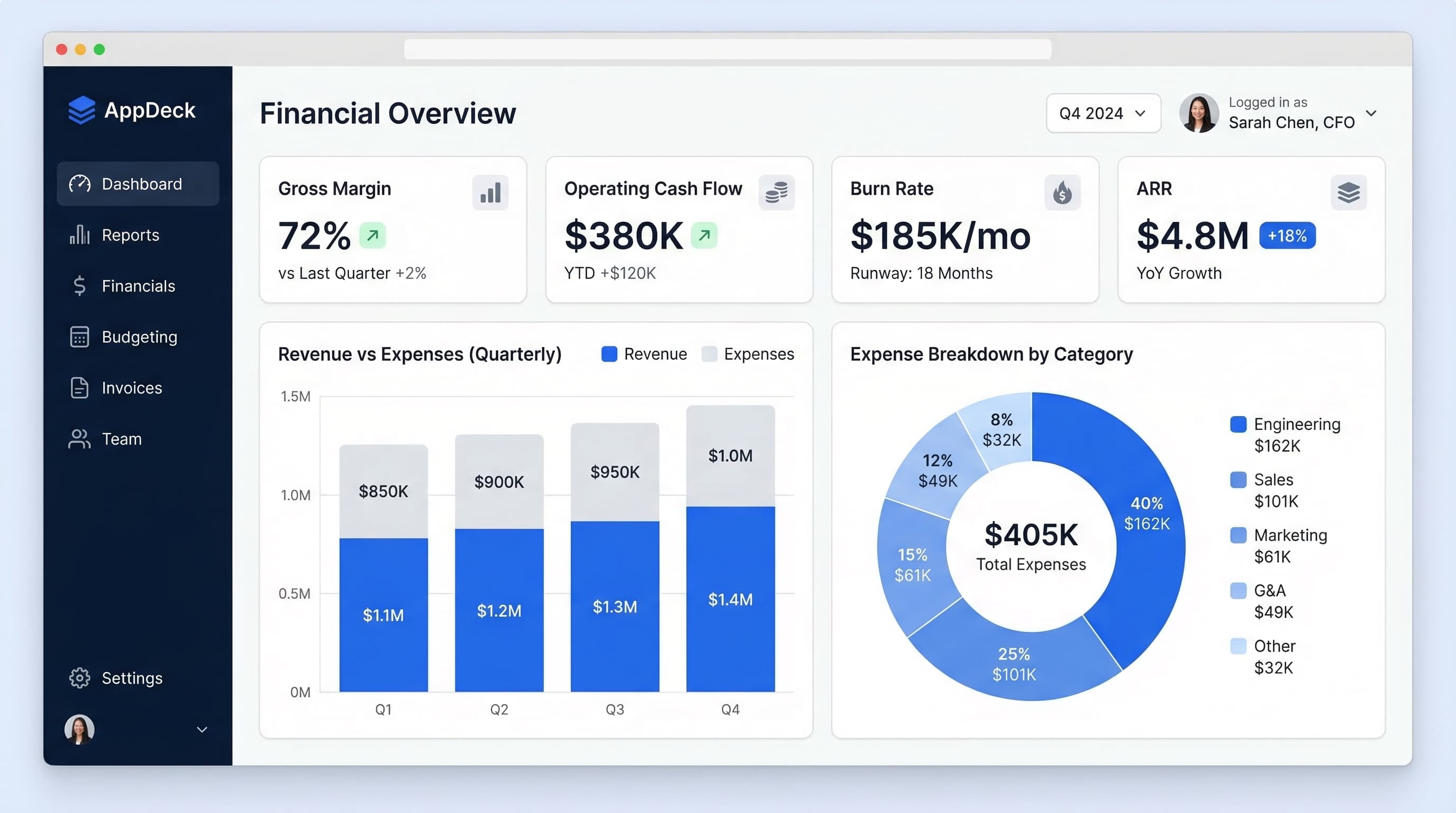
20 Power BI Dashboard Examples for Executives & Business Leaders
Explore 20 real-world Power BI dashboard examples for executives, CFOs, CROs, and CMOs. KPI layouts, design best practices, and when to consider alternatives to Power BI.
Executive Dashboard Design Best Practices: 10 Rules (With Real Examples)
How many KPIs? Which layout? 10 executive dashboard design best practices with real CEO and CFO examples, the 5-7 KPI rule, common mistakes, and a free Excel template.