
Vendor Onboarding Process: Step-by-Step Guide for 2026
Complete vendor onboarding process guide. 7-step framework from initial contact to active vendor status with checklists, timelines, and automation tips.
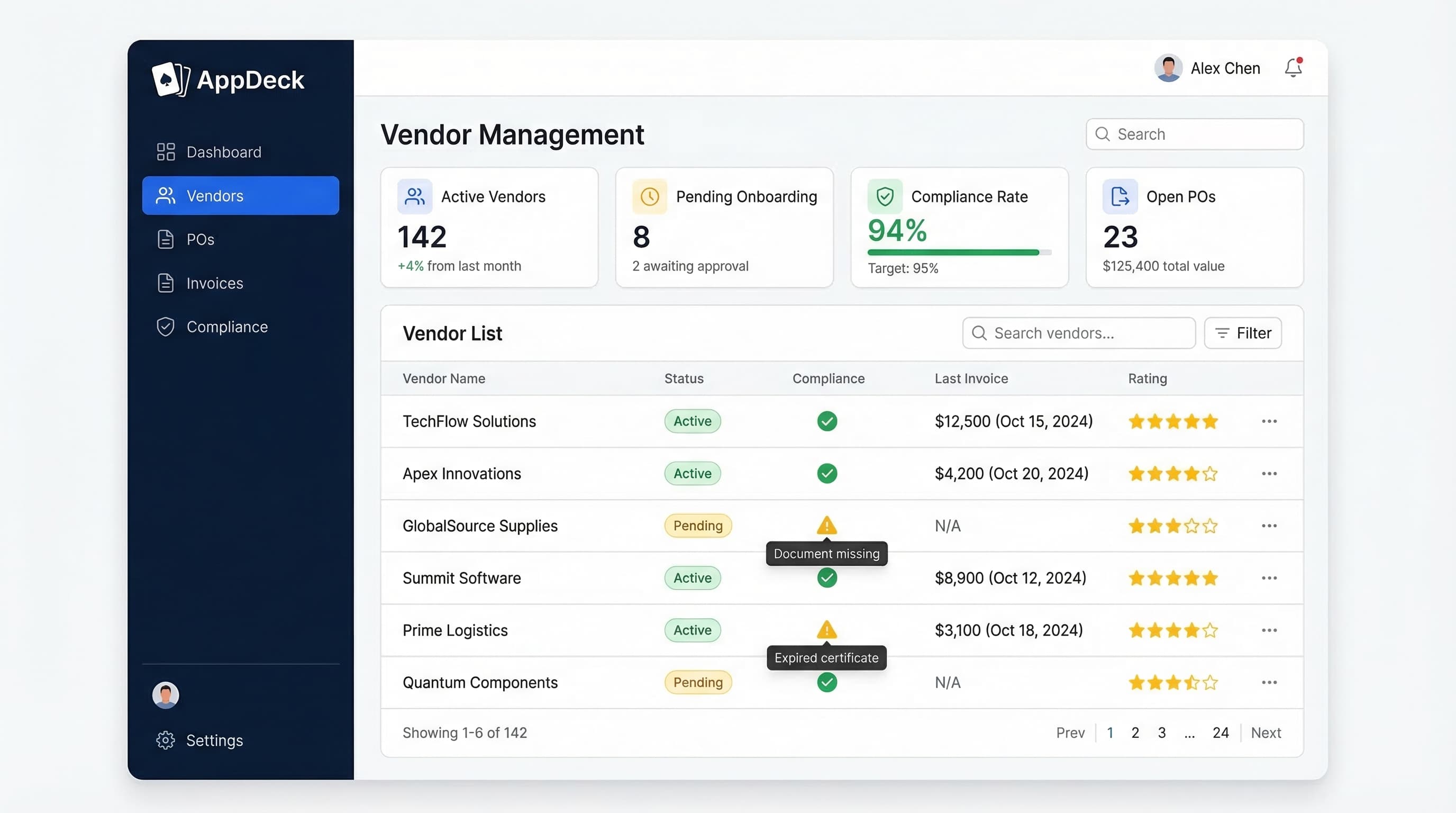
TL;DR: Complete vendor onboarding process guide. 7-step framework from initial contact to active vendor status with checklists, timelines, and automation tips.
Introduction
Vendor onboarding is the foundation of every vendor relationship. Get it right, and you set the stage for clear expectations, smooth operations, and strong compliance from day one. Get it wrong, and you spend the next twelve months chasing documents, fixing data errors, and managing misaligned expectations.
Yet most organizations still onboard vendors with a patchwork of email threads, shared spreadsheets, and tribal knowledge. Marketing onboards vendors one way, operations another, and IT does something completely different. The result is inconsistent data, compliance gaps, and an onboarding cycle that drags on for weeks when it should take days.
After helping hundreds of companies redesign their vendor onboarding workflows, I've distilled the process into a 7-step framework that works for organizations of any size. Whether you're onboarding 10 vendors a year or 500, this guide gives you a repeatable, auditable process that protects your organization and gets vendors productive faster.
What you'll learn:
- Why structured vendor onboarding is a strategic advantage (not just an admin task)
- A complete 7-step onboarding process from initial contact to active vendor status
- Realistic timelines for each phase
- Common mistakes that derail onboarding
- How portal technology automates the most painful parts of the process
Why Structured Vendor Onboarding Matters
Before jumping into the process, it's worth understanding why vendor onboarding deserves serious attention. Too many procurement teams treat onboarding as a box-checking exercise — something to rush through so they can start placing orders. That mindset creates real problems.
The Cost of Poor Onboarding
- ❌ Vendors activated without verified insurance create uncovered liability windows
- ❌ Missing tax documentation leads to 1099 reporting issues and potential IRS penalties
- ❌ Incomplete NDAs and MSAs leave you legally exposed from the first transaction
- ❌ Incomplete vendor records cause downstream errors in POs, invoices, and payments
- ❌ Duplicated effort when multiple departments onboard the same vendor independently
The numbers: Companies with ad-hoc onboarding take 3-4x longer to activate new vendors. Incomplete vendor master data causes $1.2M in annual payment errors for the average mid-market company. 23% of organizations report duplicate vendor records that lead to duplicate payments.
The Strategic Upside
Organizations with structured onboarding consistently report:
- ✅ 80% faster time to first purchase order
- ✅ 95%+ compliance rates across all active vendors
- ✅ 60% fewer data quality issues in vendor master records
- ✅ Stronger audit readiness — every onboarding step documented and timestamped
Bottom line: Investing time in a proper onboarding process saves multiples of that time over the life of every vendor relationship.
The 7-Step Vendor Onboarding Process
This framework takes a vendor from initial contact to fully active status. Each step has clear deliverables, responsible parties, and realistic timelines. The entire process should take 5-15 business days depending on vendor complexity and your organization's approval requirements.
Step 1: Vendor Qualification
Timeline: Days 1-3 Owner: Procurement team + requesting department
Before collecting a single document, you need to determine whether this vendor is worth onboarding in the first place. Qualification screens for basic fitness — financial stability, capability, capacity, and alignment with your requirements.
Qualification criteria:
- ✅ Legal business entity verified (state registration, EIN/tax ID confirmation)
- ✅ Minimum years in business met (typically 2+ years for Tier 1 vendors)
- ✅ Adequate financial stability (D&B report, credit check, or financial statements)
- ✅ No debarment or sanctions list appearances (SAM.gov, OFAC)
- ✅ Demonstrated experience in the required product/service category
- ✅ Adequate capacity to meet your volume and timeline requirements
- ✅ Required certifications and licenses current
- ✅ Minimum 3 client references collected, at least 2 verified
- ✅ Conflict of interest screening completed
Decision gate: The vendor either moves forward to documentation or is declined with documented reasons. Don't skip this step just because someone is eager to start buying. Qualification exists to protect the company.
Pro tip: Create a standardized vendor application form that captures all qualification data upfront. When vendors self-serve this through a vendor portal, your team reviews completed applications rather than chasing information through email.
Step 2: Documentation Collection
Timeline: Days 2-5 (overlaps with qualification) Owner: Procurement team + vendor
This is where most onboarding processes break down. You need 10-15 documents from the vendor, and collecting them through email is painful. Documents arrive in different formats, get lost in inboxes, and require multiple follow-ups.
Required documents:
- ✅ W-9 form (US vendors) or W-8BEN (international vendors)
- ✅ Banking information for ACH/wire payments
- ✅ Non-disclosure agreement (NDA) — executed by authorized signatory
- ✅ Master service agreement (MSA) or purchase agreement
- ✅ Data processing agreement (if vendor handles personal data)
- ✅ Certificate of insurance (COI) — general liability, professional liability, workers' comp
- ✅ Cyber liability insurance (if vendor handles sensitive data)
- ✅ Industry-specific certifications (ISO 9001, ISO 27001, SOC 2, HIPAA BAA, etc.)
- ✅ Diversity certifications (MBE, WBE, SDVOSB — if applicable)
- ✅ Security questionnaire (for IT vendors accessing your systems or data)
Document collection best practices: Send a single, comprehensive request upfront — don't ask for documents one at a time. Set a 5 business day deadline. Accept standard formats rather than requiring proprietary forms. Track status centrally with a checklist, not email.
Pro tip: A vendor portal with document upload capabilities eliminates the back-and-forth entirely. Vendors log in, see exactly what's required, upload each document to the correct category, and both parties have real-time visibility into what's been received and what's still outstanding.
Step 3: Compliance Review
Timeline: Days 4-7 Owner: Compliance team + legal + risk management
Once documents are collected, they need to be reviewed — not just filed. Compliance review verifies that the vendor's documentation actually meets your requirements and that there are no red flags that were missed during qualification.
Insurance review: Coverage types and amounts meet your requirements. Your organization is listed as additional insured (if required). Policy dates are current. Insurance carrier is rated A- or better (AM Best).
Legal review: NDA terms are acceptable. MSA reviewed for risk allocation (indemnification, limitation of liability, IP ownership). Payment terms align with company policy. Termination provisions are reasonable.
Security review (for IT/data vendors): Security questionnaire responses reviewed by IT security. SOC 2 Type II report reviewed. Data handling practices meet your security requirements. Breach notification procedures are acceptable.
Red flags to watch for:
- Insurance certificates that expire within 30 days of onboarding
- Contracts with auto-renewal clauses and narrow cancellation windows
- Security questionnaire responses that are vague or non-committal
- Financial instability indicators (declining revenue, high debt ratios, recent ownership changes)
Decision gate: Compliance review results in one of three outcomes: (1) Approved — proceed to system setup, (2) Conditionally approved — minor items need resolution but vendor can proceed, (3) Rejected — significant gaps that cannot be resolved.
Step 4: System Setup
Timeline: Days 6-8 Owner: Procurement + IT + finance
With qualification passed and compliance approved, it's time to get the vendor set up in your systems. This step is where clean data discipline pays off — errors introduced during system setup cascade through every transaction for the life of the relationship.
Vendor master record: Legal entity name (exactly as on W-9), tax ID, primary and remittance addresses, primary and escalation contacts, AR contact, vendor category and tier, payment terms and method, and currency for international vendors.
Portal access: Create vendor portal account, generate and send credentials securely, assign permission levels, pre-populate profile with collected information, and test access.
System integrations: Sync vendor record to ERP and accounts payable system. Load catalog or pricing if applicable. Configure approval workflows for the vendor's category and spend level.
Data quality checks:
- ✅ No duplicate vendor records in the system
- ✅ Tax ID matches W-9 exactly
- ✅ Banking information verified (micro-deposit verification recommended)
- ✅ Address validated
- ✅ All required fields populated
Common setup mistakes: Creating duplicates by not checking existing records. Entering the DBA name instead of the legal entity name. Configuring incorrect payment terms. Skipping banking verification — fraudulent banking changes are a growing threat.
Step 5: Training and Orientation
Timeline: Days 7-10 Owner: Procurement + requesting department
This step is frequently skipped — and that's a mistake. Vendors who understand your processes, expectations, and systems from the start require far less hand-holding and generate far fewer errors throughout the relationship.
Vendor orientation should cover:
- Your organization: Key contacts and their roles, escalation paths, communication preferences, and expected response times
- Operational processes: PO process, invoice submission requirements, delivery and receiving procedures, quality expectations, and return/credit procedures
- Portal training: How to log in, update company information, upload compliance documents, submit invoices, and track PO and payment status
- Compliance expectations: Document renewal timelines, insurance certificate update process, certification maintenance, and code of conduct acknowledgment
- Performance expectations: How performance will be measured, review frequency based on vendor tier, and what happens at different performance levels
Training delivery by tier:
- Tier 1 vendors: Live orientation session (video call or in-person) with Q&A
- Tier 2 vendors: Recorded orientation video plus written vendor guide
- Tier 3 vendors: Written vendor guide with portal self-service resources
Deliverable: A digital vendor welcome packet that includes all of the above. Don't rely on a single orientation call — vendors need written documentation they can reference when questions arise later.
Step 6: Trial Period
Timeline: Days 10-40 (30-day trial) Owner: Requesting department + procurement
Before granting full active status, put the vendor through a structured trial period. This is your opportunity to validate that the vendor can actually deliver on their commitments — before you're fully dependent on them.
Trial period framework:
Scope:
- Start with a limited engagement (smaller order, single location, one project)
- Set clear expectations for what "success" looks like during the trial
- Document specific metrics that will be evaluated
Monitoring:
- Track delivery performance against committed timelines
- Evaluate quality against specifications and expectations
- Monitor responsiveness to questions, issues, and change requests
- Assess invoice accuracy and timeliness
- Observe portal usage (are they using self-service tools as trained?)
Trial period scorecard:
| Dimension | Target | Measurement |
|---|---|---|
| On-time delivery | 95%+ | Orders delivered by committed date |
| Quality | Under 2% defect rate | Inspection results, returns, rework |
| Invoice accuracy | 98%+ | Invoices matching PO terms and amounts |
| Responsiveness | Under 24 hours | Average response time to inquiries |
| Portal adoption | Active usage | Login frequency, document uploads, self-service |
| Compliance | 100% | All required documents current and valid |
Weekly check-ins during trial:
- Brief status call with vendor contact (15 minutes)
- Review any open issues or concerns
- Provide feedback — don't wait until the end of the trial to surface problems
- Document discussions and action items
Trial period outcomes: (1) Full activation — met all criteria, no restrictions. (2) Conditional activation — met most criteria, improvement plan documented. (3) Extended trial — inconclusive due to limited volume, extend 30 days. (4) Termination — failed minimum standards, documented reasons.
Key principle: The trial period isn't punitive — it's protective for both parties. The vendor demonstrates capabilities with lower stakes. You validate before fully committing.
Step 7: Go-Live and Activation
Timeline: Day 40+ (post-trial approval) Owner: Procurement
The vendor has passed qualification, completed documentation, cleared compliance review, been set up in your systems, received training, and successfully completed a trial period. Now it's time for full activation.
Go-live checklist:
- ✅ Trial period review completed and documented
- ✅ Department head confirms satisfaction with trial performance
- ✅ Procurement confirms all onboarding checklist items complete
- ✅ Vendor status changed from "trial" to "active" in the system
- ✅ Internal stakeholders notified, approved vendor list updated
- ✅ Vendor notified of full activation with next steps
- ✅ Performance review schedule established (based on vendor tier)
- ✅ Compliance document expiration dates loaded into tracking system
- ✅ Vendor assigned to category manager for ongoing relationship management
90-day post-activation review: Schedule a formal review to assess performance with a larger transaction sample. Compare to trial period results. Confirm compliance documents remain current. Adjust tier classification if needed based on actual spend and strategic importance.
Key principle: Go-live isn't the end of onboarding — it's the transition to ongoing vendor management. The standards you establish during onboarding set the tone for the entire relationship.
Vendor Onboarding Timeline Summary
Here's the complete process mapped against a realistic timeline:
| Day | Step | Key Activities | Decision Gate |
|---|---|---|---|
| 1-3 | Qualification | Application review, financial check, references, conflict screening | Qualify or decline |
| 2-5 | Documentation | Document request, collection, tracking | All documents received |
| 4-7 | Compliance Review | Insurance, legal, regulatory, security review | Approve, conditional, or reject |
| 6-8 | System Setup | Master record, portal access, integrations, data validation | System ready |
| 7-10 | Training | Orientation, portal training, expectations, welcome packet | Training completed |
| 10-40 | Trial Period | Limited engagement, weekly check-ins, performance monitoring | Activate, extend, or terminate |
| 40+ | Go-Live | Final approvals, notification, ongoing management setup | Fully active |
Total timeline: 5-8 business days for steps 1-5 (many run in parallel). 30-day trial period. Full activation around day 40.
For urgent vendors: Steps 1-5 can be compressed to 3-5 business days when the vendor is responsive and documents are readily available. The trial period can be shortened to 14 days for lower-risk, commodity vendors. But don't skip steps — compress timelines, not process.
Common Vendor Onboarding Mistakes
After helping organizations redesign their onboarding processes, these are the mistakes I see most often. Every one of them is avoidable.
Mistake #1: No Standardized Process
What happens: Every department onboards vendors differently. Marketing collects different documents than operations. Finance gets surprised by vendors they didn't know existed. Compliance discovers gaps during audits that should have been caught on day one.
The fix: One process, every vendor, every time. The 7-step framework above works regardless of vendor type, size, or sponsoring department. Customize the intensity (Tier 1 vs. Tier 3) but not the fundamental steps.
Mistake #2: Letting Urgency Bypass the Process
What happens: "We need this vendor yesterday" is the most dangerous sentence in procurement. Someone signs a contract, issues a PO, and starts receiving goods — all before the vendor has been properly onboarded. Now you have an active vendor with no insurance verification, no compliance check, and no proper master record.
The fix: Build speed into the process, not around it. A well-designed onboarding workflow takes days, not weeks. The solution to urgency is process efficiency — not skipping steps. If your onboarding consistently takes more than two weeks, fix the process bottlenecks.
Mistake #3: Collecting Documents Without Reviewing Them
What happens: The procurement team collects all required documents and files them away without actually reviewing the contents. The insurance certificate is filed — but nobody noticed the coverage amount is $500K when your requirement is $1M. The NDA is executed — but nobody noticed the vendor carved out your industry from the scope.
The fix: Step 3 (compliance review) exists specifically for this reason. Documents must be reviewed by qualified people, not just collected and filed. Insurance reviewed by risk management. Contracts reviewed by legal. Security questionnaires reviewed by IT.
Mistake #4: Skipping the Trial Period
What happens: The vendor clears documentation and goes straight to full active status with large orders. Three months later, you discover quality issues, delivery problems, or invoice errors that could have been caught in a controlled trial. Now you're deeply committed and unwinding is expensive.
The fix: Every new vendor gets a trial period appropriate to their tier. Tier 1: full 30-day trial with structured monitoring. Tier 3: even a single test transaction with verification counts as a trial. The point is to validate before fully committing.
Mistake #5: No Vendor Training
What happens: The vendor is activated but never properly oriented. They submit invoices in the wrong format. They don't know how to use the portal. They call your AP team constantly for payment status. They don't understand your quality expectations until there's a problem.
The fix: Step 5 (training and orientation) prevents these issues. A 30-minute orientation call and a written vendor guide save dozens of hours of back-and-forth over the life of the relationship. It's one of the highest-ROI investments in the entire process.
Mistake #6: Paper-Based or Email-Based Onboarding
What happens: Onboarding is managed through email chains and Word document checklists. Documents get lost in inboxes. Nobody knows the current status without asking someone. Follow-up reminders are manual. There's no audit trail showing who approved what and when.
The fix: Move onboarding to a system — ideally a vendor portal that automates the workflow, tracks every step, sends automatic reminders, and creates a complete audit trail. The difference between email-based onboarding and portal-based onboarding is typically a 3x improvement in speed and a 5x improvement in data quality.
Mistake #7: Treating Onboarding as a One-Time Event
What happens: The vendor is onboarded and nobody looks at the record again until something goes wrong. Insurance expires. Contacts change. Banking information becomes outdated. The vendor record that was accurate on day one is stale within six months.
The fix: Go-live (Step 7) explicitly transitions the vendor from onboarding to ongoing management. Compliance tracking, performance reviews, and regular business reviews keep the vendor record current and the relationship actively managed.
How Portals Automate Vendor Onboarding
The 7-step process above works whether you're using spreadsheets or sophisticated software. But the difference in efficiency is dramatic. Here's what changes when you move vendor onboarding from email and spreadsheets to a purpose-built portal.
Email-Based vs. Portal-Based Onboarding
The manual process: Someone emails the vendor a list of required documents. Documents arrive as attachments over days or weeks, scattered across threads. Someone manually tracks status in a spreadsheet. Follow-up reminders depend on someone remembering. Documents are forwarded to reviewers via email. Approvals come back as email replies. Total time: 3-6 weeks, 40+ emails, zero audit trail.
The portal process: Vendor receives a portal invitation, creates their account, and sees a clear dashboard of required items. They upload documents directly. Your team sees real-time status across all vendors. The system sends automatic reminders. Submitted documents are routed to the correct reviewer automatically. Upon approval, the vendor record is created with validated data. Total time: 5-10 business days, near-zero emails, complete audit trail.
The Measurable Difference
| Metric | Email-Based | Portal-Based | Improvement |
|---|---|---|---|
| Average onboarding time | 3-6 weeks | 5-10 days | 70% faster |
| Documents lost or misfiled | 15-25% | Under 1% | Near elimination |
| Follow-up emails per vendor | 20-40 | 0-2 | 95% reduction |
| Compliance rate at activation | 70-80% | 98%+ | Significant |
| Procurement admin time per vendor | 4-6 hours | 30-60 minutes | 85% reduction |
| Audit readiness | Low (reconstruct from email) | High (automatic trail) | Complete visibility |
What to Look for in an Onboarding Portal
For your team: Configurable onboarding workflows by vendor tier, real-time status dashboards, automated reminders and escalations, built-in review and approval workflows, document verification with expiration tracking, complete audit trails, and analytics on cycle time and bottlenecks.
For vendors: Self-service document upload with clear requirements, real-time onboarding status visibility, ability to update their own information, direct communication channel, access to training materials, and mobile-friendly interface.
AppDeck Vendor Portal provides all of these capabilities with setup in under an hour. Your vendors get a clean, intuitive interface that makes onboarding straightforward. Your team gets a dashboard that shows exactly where every vendor stands — no more chasing status updates through email.
Vendor Onboarding Checklist
Use this consolidated checklist to track every onboarding. Organized by process step for easy reference.
Qualification
- ☐ Vendor application form completed
- ☐ Business registration verified
- ☐ Financial stability assessed (D&B or financial statements)
- ☐ References collected (3 minimum) and checked (2 minimum)
- ☐ Capability and capacity assessment completed
- ☐ Conflict of interest screening completed
- ☐ Sanctions and debarment list screening completed
Documentation
- ☐ W-9 / W-8BEN collected
- ☐ Banking / ACH information collected
- ☐ Certificate of insurance (COI) received — all required coverage types
- ☐ NDA executed
- ☐ MSA or purchase agreement executed
- ☐ Industry-specific certifications verified
- ☐ Diversity certifications collected (if applicable)
- ☐ Security questionnaire completed (if applicable)
- ☐ Data processing agreement executed (if applicable)
Compliance Review
- ☐ Insurance coverage amounts verified as adequate
- ☐ Your organization listed as additional insured (if required)
- ☐ Contract terms reviewed and approved by legal
- ☐ Regulatory compliance confirmed
- ☐ Security review completed (for IT/data vendors)
- ☐ Compliance officer sign-off (for regulated industries)
System Setup
- ☐ Duplicate check completed (no existing vendor record)
- ☐ Vendor master record created with verified data
- ☐ Portal account created and credentials sent
- ☐ Payment terms and method configured
- ☐ Category and tier classification assigned
- ☐ Banking information verified (micro-deposit or equivalent)
- ☐ System integrations confirmed (ERP, AP)
Training
- ☐ Orientation session completed (live or recorded)
- ☐ Portal training completed
- ☐ Vendor welcome packet delivered
- ☐ Key contacts and escalation paths communicated
- ☐ Performance expectations documented and shared
Trial Period
- ☐ Trial scope and success criteria defined
- ☐ Initial order / engagement placed
- ☐ Weekly check-ins conducted
- ☐ Trial performance scorecard completed
- ☐ Trial review meeting conducted with vendor
Go-Live
- ☐ Trial period passed — performance meets criteria
- ☐ Department head approval documented
- ☐ Vendor status changed to "active"
- ☐ Internal stakeholders notified
- ☐ Vendor notified of full activation
- ☐ Ongoing review schedule established
- ☐ Compliance expiration dates loaded into tracking system
- ☐ 90-day post-activation review scheduled
Frequently Asked Questions
What is vendor onboarding and what does it include?
Vendor onboarding is the structured process of bringing a new third-party supplier into your organization — from initial qualification through full operational activation. It includes verifying the vendor is qualified and approved, collecting documentation (W-9, insurance certificates, certifications, banking details), conducting compliance and risk review, setting them up in finance and procurement systems, training them on your processes and expectations, running a trial period, and transitioning them to ongoing vendor management. Done well, onboarding takes 2-4 weeks and creates a clean foundation. Done badly, it sprawls over months, generates compliance gaps, and creates problems that haunt the relationship for years.
How is vendor onboarding different from vendor procurement or selection?
Vendor selection is the upstream process of identifying a need, running an RFP, evaluating bids, and choosing a winner. Procurement is the transactional process of executing the purchase or contract. Vendor onboarding begins after the contract is signed and continues until the vendor is fully operational in your systems. Selection answers "which vendor?"; procurement answers "what's the deal?"; onboarding answers "how do we make this vendor work inside our operation?" Many companies conflate the three and skip onboarding entirely — they go straight from contract signing to issuing POs, which causes compliance gaps, payment errors, and performance disputes within 90 days.
How long should vendor onboarding take?
Total onboarding time depends on vendor complexity. Low-risk commodity vendors (office supplies, basic services) should complete onboarding in 5-10 business days. Standard vendors (typical SaaS, professional services) take 2-3 weeks. Strategic or high-risk vendors (critical infrastructure, regulated services, data processors) take 4-8 weeks because they require deeper security review, contract negotiation, and integration setup. If your average onboarding exceeds 6 weeks across all tiers, the bottleneck is usually document collection — chasing vendors for COIs, W-9s, and signed addenda. A self-service portal where vendors upload documents directly cuts onboarding time by 50-70%.
Who is responsible for vendor onboarding inside an organization?
Onboarding is cross-functional. Procurement or vendor management owns the process. Finance verifies banking details and tax forms. Legal reviews and executes contracts. IT/security reviews data handling, access provisioning, and security attestations. The requesting business unit validates the vendor meets the operational need and provides training-period feedback. Risk and compliance teams sign off on high-risk vendors. In small companies (under 50 employees), one operations or finance person typically handles everything. In enterprises, a vendor management office coordinates across functions with defined SLAs at each handoff.
When should we skip the full onboarding process for a one-time or low-value vendor?
A streamlined "lite" onboarding is appropriate for one-time, low-risk, low-value engagements — typically under $5,000, single-event services, no data access, and standard insurance requirements. The lite path still requires W-9, basic insurance verification, and contract or terms acceptance, but skips compliance review, system setup, training, and trial period. Use lite onboarding for event vendors, one-time consultants, conference sponsors, and similar transactional engagements. Never skip onboarding entirely for vendors handling sensitive data, providing critical services, or above your spend threshold — the time saved isn't worth the risk exposure.
Conclusion
Vendor onboarding isn't glamorous work, but it's foundational. Every vendor relationship in your organization starts here, and the quality of your onboarding process determines the quality of what follows — compliance, performance, communication, and ultimately business outcomes.
The 7-step framework in this guide provides a structured, repeatable approach that works at any scale:
- Qualification — Verify the vendor is worth onboarding before investing time
- Documentation — Collect everything you need upfront, not piecemeal over months
- Compliance review — Actually review documents, don't just file them
- System setup — Clean data from day one prevents downstream errors
- Training — Orient vendors to your processes and set clear expectations
- Trial period — Validate performance before full commitment
- Go-live — Transition from onboarding to ongoing vendor management
Where to start: If you don't have a standardized process today, implement this framework with your next 5 vendor onboardings. You'll immediately see the difference in speed, data quality, and compliance rates.
If you're ready to automate the process, AppDeck Vendor Portal eliminates the email chaos and manual tracking that makes onboarding painful. Vendors get a self-service experience. Your team gets real-time visibility and complete audit trails. Setup takes less than an hour.
Related reading:
- The Complete Guide to Vendor Management
- Vendor Management Best Practices: Complete Guide for 2026
- Vendor Compliance Checklist

Founder & CEO, AppDeck
Serial entrepreneur with 20+ years building B2B software companies. Former executive managing 2,800+ employees across three continents. Vik reviews all AppDeck content for accuracy and practical relevance.
Share this article
Explore Related Solutions
Related Articles
Vendor Management Best Practices: Complete Guide for 2026
15 vendor management best practices for procurement teams. Covers onboarding, compliance, performance tracking, risk management, and technology.
What Is a Vendor Portal? The Complete Guide to Vendor Management Portals
Everything you need to know about vendor portals: what they are, key features, benefits, how to set one up, and software comparison. The definitive guide for procurement and operations teams.
Vendor Compliance Checklist: 30 Items Every Procurement Team Needs
Complete vendor compliance checklist for procurement teams. Track certifications, insurance, licenses, contracts, and regulatory requirements with automated reminders.