
Project Portal Software Comparison 2026: 8 Best Platforms for Client Collaboration
Compare the best project portal software for 2026. Monday.com, Asana, Basecamp, AppDeck, and 4 others. Features, pricing, and real user reviews for client-facing project tracking.
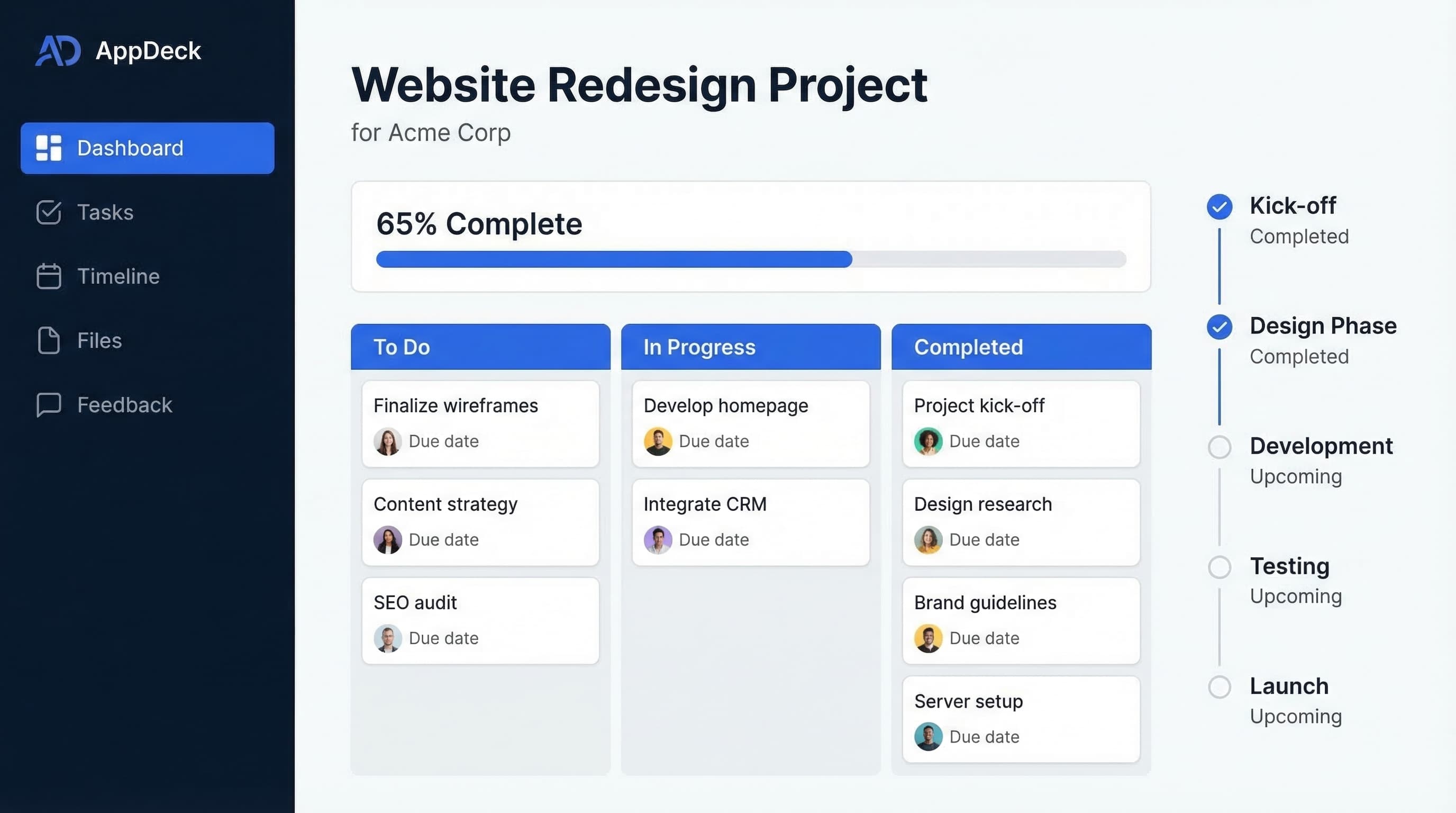
TL;DR: Compare the best project portal software for 2026. Monday.com, Asana, Basecamp, AppDeck, and 4 others. Features, pricing, and real user reviews for client-facing project tracking.
Introduction
Choosing project portal software is one of the most consequential decisions an agency or professional services firm will make. The right platform gives clients real-time visibility into project progress, eliminates unnecessary status meetings, and builds trust through transparency. The wrong one? Confused clients, overwhelmed project managers, and a team still drowning in email updates nobody reads.
After helping 80+ agencies and services firms select and implement project portals over 12 years, I've seen what drives client satisfaction—and what destroys it. In this comprehensive comparison, I'll break down the top 8 project portal platforms with honest assessments of features, pricing, and real-world performance.
What is Project Portal Software?
Project portal software is a secure, client-facing platform that gives external stakeholders visibility into project progress without exposing your internal workflows:
Core capabilities:
- Client-facing project dashboards with real-time status updates
- Task and milestone tracking visible to clients
- File sharing and document collaboration
- Feedback and approval workflows
- Time tracking and budget visibility
- Communication threads tied to specific projects
- Reporting and analytics dashboards
- White-label branding for professional presentation
The critical distinction: internal PM tools vs. client-facing project portals
Most project management tools are designed for internal teams. They track tasks, assign work, and manage timelines—but they were never meant for client consumption. A project portal is different: it's a curated, branded window into project progress that shows clients what they need to see without overwhelming them with internal noise.
Who needs this:
- Agencies managing multiple client projects simultaneously
- Professional services firms delivering consulting engagements
- Development shops tracking sprints and releases for clients
- Marketing teams sharing campaign progress with stakeholders
- Architecture and construction firms managing client deliverables
- Any team that spends too much time on status update meetings
Why You Need a Client-Facing Project Portal
The Status Meeting Problem
Before project portals, most agencies struggle with:
- ❌ Weekly status meetings that consume 5-10 hours of billable time
- ❌ Clients emailing "what's the status?" multiple times per week
- ❌ Project updates scattered across Slack, email, and spreadsheets
- ❌ No single source of truth for project deliverables and timelines
- ❌ Clients surprised by delays they should have seen coming
- ❌ Feedback buried in email threads and lost between revisions
- ❌ Invoicing disputes because clients can't see where time was spent
The Portal Solution
Modern project portals solve these problems:
- ✅ Real-time project dashboards replace weekly status meetings
- ✅ Clients self-serve project updates 24/7 without emailing your team
- ✅ Centralized file sharing with version history and approval workflows
- ✅ Milestone tracking with automatic notifications on progress
- ✅ Transparent time and budget tracking reduces billing disputes
- ✅ Feedback captured in context, tied to specific deliverables
- ✅ White-label branding creates a professional, polished experience
Result: 60% reduction in status meetings, 40% fewer "what's the status?" emails, and measurably higher client satisfaction scores.
Key Features to Compare
Before diving into specific platforms, here's what matters when evaluating project portal software for client collaboration:
1. Client-Facing Dashboards
Essential dashboard features:
- Real-time project status overview
- Milestone and deadline tracking
- Progress bars and completion percentages
- Customizable views (what clients see vs. what your team sees)
- Multiple project views (timeline, board, list)
- Mobile-responsive design
Why it matters: The dashboard is your client's first impression every time they log in. If it's cluttered with internal tasks or confusing to navigate, clients stop using it—and start emailing again.
2. File Sharing & Approval Workflows
Critical collaboration features:
- Drag-and-drop file uploads with version history
- In-context feedback and markup tools
- Formal approval workflows (approve, reject, request changes)
- Automatic notifications when files need review
- Support for large files (video, design assets, presentations)
- Organized folder structures by project phase
Why it matters: Email attachments are where deliverables go to die. Version confusion, lost feedback, and unclear approvals cost agencies thousands of hours per year.
3. Communication Tools
Must-have communication features:
- Project-level discussion threads
- @mentions and notifications
- Activity feeds showing recent changes
- Email integration (notifications without requiring portal login)
- Comment threads on specific tasks and deliverables
- Read receipts and engagement tracking
4. Time & Budget Transparency
Key transparency features:
- Time tracking visible to clients (configurable)
- Budget burn-down dashboards
- Hours logged by task or phase
- Invoice integration
- Retainer usage tracking
- Profitability reporting (internal only)
5. White-Label Branding
Essential branding features:
- Custom logo and color scheme
- Custom domain (portal.youragency.com)
- Branded email notifications
- Removal of vendor branding
- Custom login page
- Branded mobile experience
Why it matters: Sending clients to a third-party tool with someone else's branding undermines your agency's professionalism. Your portal should feel like an extension of your brand, not a generic SaaS tool.
6. Security & Access Controls
Essential security features:
- SOC 2 Type II compliance
- Two-factor authentication (2FA)
- Encryption at rest and in transit (AES-256, TLS 1.3)
- Role-based access controls (client vs. team vs. admin)
- Per-project permissions (clients only see their projects)
- Complete audit logs
Why it matters: Clients share sensitive business data, creative briefs, and strategic plans through your portal. A security breach damages trust and your reputation.
7. Integration Capabilities
Critical integrations:
- Project management tools (Jira, Trello, internal boards)
- Communication platforms (Slack, Microsoft Teams)
- File storage (Google Drive, Dropbox, OneDrive)
- Invoicing and accounting (QuickBooks, Xero, FreshBooks)
- Design tools (Figma, Adobe Creative Cloud)
- CRM systems (HubSpot, Salesforce)
8. Reporting & Analytics
Must-have analytics:
- Project health dashboards
- Client engagement metrics (portal usage, login frequency)
- Time and budget reports
- Milestone completion tracking
- Team utilization reports (internal)
- Custom report builder
The 8 Best Project Portal Platforms for 2026
1. AppDeck Project Portal
Best for: Agencies wanting white-label client portals with real-time project dashboards
Pricing: $149/month (unlimited clients and projects)
Key features:
- ✅ White-label client portal with your branding, colors, and custom domain
- ✅ Real-time project dashboards with milestone tracking
- ✅ File sharing with approval workflows and version history
- ✅ Client-facing time and budget tracking (configurable visibility)
- ✅ Communication threads tied to projects and deliverables
- ✅ Automated status notifications (clients never need to ask)
- ✅ AES-256 encryption, RBAC, and audit logging (designing for SOC 2 Type II audit readiness)
- ✅ Mobile-responsive design
- ✅ 30-minute setup (not weeks of configuration)
Pros:
- True white-label experience that feels like your own product (custom domain, branded emails, no vendor logos)
- Built specifically for client-facing use rather than adapted from an internal PM tool
- Real-time dashboards replace status meetings entirely
- Flat pricing with no per-client or per-project fees (scales beautifully)
- Fast implementation (hours, not weeks—your first client portal can be live today)
- Excellent client UX that clients actually enjoy using (high adoption rates)
- Affordable at $149/mo vs. $500-2,000+/mo for enterprise alternatives
- Flexible — use for project portals, client portals, and team portals on one platform
Cons:
- Newer platform (less brand recognition than Monday.com or Asana)
- Fewer built-in project management features than full PM suites
- No native Gantt charts yet (roadmap H2 2026)
- Smaller customer base (though growing rapidly)
Best fit:
- Agencies managing 5-50+ client projects simultaneously
- Firms wanting a branded, professional client experience
- Teams tired of giving clients access to cluttered internal PM tools
- Organizations needing real-time client visibility without status meetings
- Agencies with budgets under $5K/year for client portal software
- Companies wanting fast time-to-value
User review:
"We were giving clients guest access to Asana, and it was a disaster—they saw internal comments, got confused by subtasks, and kept asking us to explain the interface. AppDeck gave us a clean, branded portal in an afternoon. Clients love it, we've eliminated 80% of status meetings, and at $149/mo with unlimited projects, the ROI was immediate. It pays for itself by saving 2 hours of status meetings per week." — Creative Director, Digital Marketing Agency (35 Clients)
Try it: AppDeck Project Portal
2. Monday.com
Best for: Teams wanting flexible project views with optional client-facing capabilities
Pricing: $8-16/seat/month (Standard to Pro plans)
Key features:
- ✅ Highly customizable project boards and views
- ✅ Multiple views (Kanban, timeline, calendar, chart, Gantt)
- ✅ Guest access for external collaborators
- ✅ Automations and integrations marketplace
- ✅ Time tracking (Pro plan and above)
- ✅ Workload management
- ✅ Dashboard widgets with customizable reporting
- ✅ File sharing and commenting
Pros:
- Extremely flexible — build almost any project workflow you can imagine
- Visual and colorful interface that's fun to use
- Strong automation builder (reduce manual work significantly)
- Large integration marketplace (200+ integrations)
- Good for internal PM with client-facing potential
- Scalable pricing for growing teams
- Strong mobile app experience
- Regular feature updates with responsive product team
Cons:
- Not designed as a client portal (guest access is a workaround, not a feature)
- No white-labeling — clients see Monday.com branding everywhere
- Per-seat pricing adds up quickly for larger teams ($16/seat on Pro = $960/mo for 60 seats)
- Guests see too much or too little (permission controls are blunt)
- Complex for clients who just want simple status updates
- Automations limited on lower-tier plans
- Can't customize the client experience separately from internal views
- No custom domain or branded portal experience
Best fit:
- Small to mid-size teams (5-50 people)
- Teams wanting a flexible internal PM tool with some client visibility
- Companies where clients are comfortable with PM tool interfaces
- Teams already using Monday.com internally
- Budgets of $500-2,000/month for PM software
User review:
"Monday.com is our internal workhorse—we love it for managing projects. But the guest access for clients has been painful. Clients see our internal comments, get confused by the board structure, and we can't brand it at all. We ended up using Monday internally and AppDeck as the client-facing portal. Best of both worlds." — Operations Manager, Web Development Agency
3. Asana
Best for: Large teams with complex workflows needing structured project management
Pricing: $10.99-24.99/user/month (Starter to Advanced plans)
Key features:
- ✅ Task and subtask management with dependencies
- ✅ Multiple project views (list, board, timeline, calendar)
- ✅ Goals and milestone tracking
- ✅ Portfolio-level project oversight
- ✅ Workload management and resource allocation
- ✅ Custom fields and forms
- ✅ Rules-based automation
- ✅ Guest access for external stakeholders
Pros:
- Excellent for complex project management with dependencies and subtasks
- Portfolio view gives leadership oversight across all projects
- Goals feature connects daily tasks to strategic objectives
- Strong for large teams (100+ people)
- Robust API and integration ecosystem
- Good mobile app with offline capabilities
- Mature platform with extensive documentation and community
- Workload management prevents team burnout
Cons:
- Not a client portal — guest access exposes internal project complexity
- No white-labeling — clients see Asana branding and interface
- Per-user pricing gets expensive for large teams ($24.99/user = $2,499/mo for 100 users)
- Overwhelming for clients who don't need task-level detail
- Steep learning curve for non-technical clients
- Guest permissions are all-or-nothing per project
- No client-specific dashboard — clients see the same view as your team
- No custom domain or branded experience
Best fit:
- Large agencies or firms (50-500+ team members)
- Organizations with complex, multi-phase projects
- Teams needing portfolio-level project oversight
- Companies where clients are tech-savvy and comfortable with PM tools
- Budgets of $1,000-5,000+/month
User review:
"Asana is incredible for managing our internal workflows—dependencies, portfolios, workload management, it does it all. But every time we add a client as a guest, they're overwhelmed. One client called it 'looking at the cockpit of an airplane.' We need Asana for our team, but we need something simpler and branded for clients." — VP of Operations, Full-Service Marketing Agency (120 Employees)
4. Basecamp
Best for: Simplicity-focused teams wanting a straightforward project hub
Pricing: $15/user/month (Basecamp plan) or $299/month flat (Basecamp Pro Business)
Key features:
- ✅ Message boards for project communication
- ✅ To-do lists with assignments and due dates
- ✅ Schedule and milestone tracking
- ✅ File and document sharing
- ✅ Campfire group chat
- ✅ Automatic check-ins ("What did you work on today?")
- ✅ Hill Charts for progress visualization
- ✅ Client access built into the platform
Pros:
- Simplicity is the product — intentionally avoids feature bloat
- Built-in client access (designed for agency-client collaboration from day one)
- Easy for non-technical clients to understand immediately
- Flat pricing option ($299/mo for unlimited users on Pro Business)
- Message boards keep communication organized by topic
- Automatic check-ins reduce status meeting needs
- Opinionated workflow means less configuration, faster adoption
- No per-user fees on Pro Business plan
Cons:
- No white-labeling — clients see Basecamp branding
- Limited project views (no Gantt, no Kanban boards, no timeline)
- No time tracking built in (need third-party integration)
- No custom domain or branded portal
- Deliberately limited features frustrate power users
- No task dependencies or complex workflow management
- Basic reporting (no resource management or budget tracking)
- Polarizing philosophy — you either love the simplicity or hate the limitations
Best fit:
- Small agencies (5-20 people) wanting dead-simple project management
- Teams that value simplicity over features
- Organizations where clients need basic project visibility
- Companies frustrated by tool complexity
- Budgets under $300/month
User review:
"Basecamp is refreshingly simple—our clients pick it up in minutes, no training required. Message boards keep everything organized, and the check-in feature replaced our Monday morning standups. But we hit the ceiling fast: no time tracking, no budget visibility, no Gantt charts, and no way to put our brand on it. For simple projects it's perfect, but growing agencies will outgrow it." — Account Director, Boutique Creative Agency
5. ClickUp
Best for: Feature-rich project management with extensive customization
Pricing: $7-12/member/month (Unlimited to Business plans)
Key features:
- ✅ 15+ project views (list, board, Gantt, timeline, mind map, and more)
- ✅ Custom fields, statuses, and workflows
- ✅ Goals and OKR tracking
- ✅ Built-in time tracking
- ✅ Docs and wikis
- ✅ Whiteboards for collaboration
- ✅ Guest access for external users
- ✅ Dashboards with 50+ widget types
Pros:
- Feature-rich — arguably the most features per dollar of any PM tool
- Affordable pricing ($7-12/member/month is very competitive)
- Built-in time tracking (no third-party tool needed)
- 15+ project views for every possible workflow preference
- Docs and whiteboards built into the platform
- Goals and OKR tracking connects projects to outcomes
- Strong free tier for small teams
- Rapid development pace with frequent feature releases
Cons:
- Too many features can be overwhelming (feature bloat is real)
- Not designed as a client portal (guest access is limited)
- No white-labeling — clients see ClickUp branding
- Performance issues reported by some users with large workspaces
- Learning curve is significant due to feature density
- Guest experience is confusing for non-technical clients
- No custom domain or branded client experience
- Interface can feel cluttered with so many options
Best fit:
- Teams that want maximum features at minimum cost
- Technical teams comfortable with complex tools
- Organizations wanting to consolidate multiple tools into one
- Companies where clients don't need portal access
- Budgets under $1,000/month
User review:
"ClickUp has every feature imaginable—and that's both its strength and weakness. Our internal team loves it, but when we gave clients guest access, they were lost. Too many views, too many options, too much noise. We keep ClickUp for internal work and use a separate client portal. For internal PM, ClickUp is unbeatable value." — Project Manager, Software Development Agency
6. Teamwork
Best for: Agencies with time tracking and billing needs
Pricing: $10.99-19.99/user/month (Deliver to Grow plans)
Key features:
- ✅ Task management with subtasks, dependencies, and milestones
- ✅ Built-in time tracking and billable hours
- ✅ Client users with permissions controls
- ✅ Project templates for repeatable workflows
- ✅ Budget tracking and profitability reporting
- ✅ Resource management and workload planning
- ✅ Invoice generation from tracked time
- ✅ Portfolio-level project oversight
Pros:
- Built for agencies — understands client work and billable hours
- Excellent time tracking integrated directly into task management
- Client user roles with better permissions than most PM tools
- Budget tracking with profitability reporting per project
- Invoice generation from tracked time (reduces billing friction)
- Project templates for standardized delivery workflows
- Resource management across multiple client projects
- Free client seats on certain plans
Cons:
- No true white-labeling — clients see Teamwork branding
- Client experience is better than competitors but still an adapted PM tool
- Per-user pricing adds up for large teams
- No custom domain for client portal
- Interface is functional but not visually polished
- Limited reporting customization on lower plans
- Mobile app is basic compared to desktop
- Fewer integrations than Monday.com or Asana
Best fit:
- Agencies with 10-50 team members
- Firms where time tracking and billing are critical
- Teams that need profitability tracking per client
- Companies wanting agency-specific PM features
- Budgets of $500-2,000/month
User review:
"Teamwork understands agencies better than any other PM tool. The time tracking, billable hours, and invoice generation save us hours every week. Client users work reasonably well—better than Asana or Monday.com for sure. But clients still see Teamwork's branding, and the portal experience isn't as polished as we'd like. For internal agency management with some client visibility, it's excellent." — Director of Operations, Digital Agency (40 Employees)
7. Notion
Best for: Flexible, documentation-first teams wanting customizable workspaces
Pricing: $8-15/member/month (Plus to Business plans)
Key features:
- ✅ Flexible pages, databases, and wikis
- ✅ Custom project databases with multiple views
- ✅ Guest access for external collaborators
- ✅ Templates for project tracking and documentation
- ✅ Embedded files and rich media
- ✅ AI-powered search and writing assistance
- ✅ Linked databases and relations
- ✅ API and integrations
Pros:
- Extremely flexible — build literally any workflow with databases and pages
- Beautiful documentation and knowledge base capabilities
- Great for content-heavy projects (copywriting, editorial, documentation)
- AI features for search and content assistance
- Strong template ecosystem (community and built-in)
- Good for internal wikis and SOPs alongside project management
- Growing rapidly with strong brand recognition
- Affordable pricing for small teams
Cons:
- Not a project management tool (you have to build PM workflows from scratch)
- No white-labeling — clients see Notion branding
- Guest experience is confusing (Notion's flexibility is disorienting for newcomers)
- No built-in time tracking or budget management
- No task dependencies or Gantt charts without workarounds
- Performance degrades with large databases
- No custom domain for client access
- Requires significant setup to function as a project portal
Best fit:
- Small teams (2-15 people) that love building custom tools
- Documentation-heavy projects (content, editorial, consulting)
- Teams already using Notion internally
- Companies wanting an all-in-one workspace over a dedicated PM tool
- Budgets under $500/month
User review:
"We built our entire project tracking system in Notion—databases, dashboards, client pages, the works. It took about a month to set up and it's honestly impressive. But clients find it confusing. They click the wrong page, get lost in nested databases, and don't understand the interface. It's a great internal tool, but it's not a client portal." — Founder, Content Strategy Consultancy
8. Custom-Built Solutions (Spreadsheets, SharePoint, Google Drive)
Best for: Companies with unique needs and strong IT teams (not recommended)
Pricing: Variable (internal time + tools)
What people try:
- Google Sheets for project tracking and status updates
- SharePoint sites with custom lists and document libraries
- Shared Google Drive folders for file collaboration
- Custom web applications built by internal development teams
- Combination of Slack channels, Trello boards, and email
Pros:
- Complete customization to your exact workflow
- Use tools your team already knows
- Potentially lower monthly software cost
Cons:
- ❌ No professional branding (sending clients to a Google Sheet is not a good look)
- ❌ Security gaps (Google Drive sharing permissions are notoriously messy)
- ❌ No audit trails for deliverable approvals and feedback
- ❌ No automated notifications when milestones are hit or files need review
- ❌ Version control nightmares (which file is the final final version?)
- ❌ Ongoing maintenance burden on your team
- ❌ No client engagement tracking (you can't see if clients even looked at updates)
- ❌ Clients judge you for the unprofessional experience
- ❌ Scales terribly (works with 3 clients, breaks at 15)
- ❌ Developer time is better spent on billable client work
Our strong recommendation: Don't do this. Your client portal is a direct reflection of your agency's professionalism and attention to detail. Sending clients to a shared Google Drive or a spreadsheet signals that you don't invest in quality—which is exactly the opposite of what you want to communicate. At $149/month, there's no reason to cobble together a makeshift solution.
Feature Comparison Table
| Feature | AppDeck | Monday.com | Asana | Basecamp | ClickUp | Teamwork | Notion |
|---|---|---|---|---|---|---|---|
| Pricing | $149/mo flat | $8-16/seat/mo | $10.99-24.99/user/mo | $15/user or $299/mo flat | $7-12/member/mo | $10.99-19.99/user/mo | $8-15/member/mo |
| White-Label Branding | ✅ Full (domain, logo, colors) | ❌ No | ❌ No | ❌ No | ❌ No | ❌ No | ❌ No |
| Custom Domain | ✅ portal.youragency.com | ❌ No | ❌ No | ❌ No | ❌ No | ❌ No | ❌ No |
| Client-Facing Dashboards | ✅ Purpose-built | ⚠️ Guest access | ⚠️ Guest access | ⚠️ Client access | ⚠️ Guest access | ⚠️ Client roles | ⚠️ Guest access |
| Approval Workflows | ✅ Built-in | ⚠️ Via automations | ✅ Rules-based | ❌ No | ⚠️ Basic | ⚠️ Basic | ❌ No |
| Built-in Time Tracking | ✅ Yes | ✅ Pro plan+ | ❌ No | ❌ No | ✅ Yes | ✅ Excellent | ❌ No |
| Budget Tracking | ✅ Client-visible | ⚠️ Via widgets | ⚠️ Limited | ❌ No | ⚠️ Basic | ✅ Good | ❌ No |
| Mobile Experience | ✅ Responsive | ✅ Native app | ✅ Native app | ✅ Native app | ✅ Native app | ⚠️ Basic app | ✅ Native app |
| Setup Time | 30 minutes | 1-2 weeks | 1-2 weeks | 1-2 days | 1-2 weeks | 1-2 weeks | 2-4 weeks |
| Best For | Client-facing portals | Flexible internal PM | Complex workflows | Simplicity | Feature density | Agency billing | Documentation |
How to Choose the Right Project Portal Software
Step 1: Assess Your Requirements
By team size and client count:
- Solo or small team (1-5 people) → Basecamp or AppDeck
- Growing agency (5-25 people) → AppDeck
- Mid-size agency (25-100 people) → AppDeck or Teamwork
- Large firm (100+ people) → Asana or Monday.com for internal PM + AppDeck for client portal
By primary need:
- White-label client portal → AppDeck (only option with full white-labeling)
- Flexible internal PM → Monday.com or ClickUp
- Complex workflow management → Asana
- Simplicity above all → Basecamp
- Time tracking and billing → Teamwork
- Documentation-first workspace → Notion
- Maximum features per dollar → ClickUp
Budget reality check:
- Under $2K/year → AppDeck ($1,788/year flat)
- $2K-5K/year → AppDeck, Basecamp, or ClickUp
- $5K-15K/year → Monday.com, Asana, or Teamwork
- $15K+/year → Asana or Monday.com at scale
Step 2: Separate Internal PM from Client Portal
This is the key insight most agencies miss. Your internal project management tool and your client-facing portal serve fundamentally different purposes:
Internal PM (for your team):
- Task assignments with granular subtasks
- Internal comments and discussions
- Resource allocation and workload management
- Sprint planning and development workflows
- Internal deadlines and dependencies
Client portal (for your clients):
- Clean, branded project overview
- Milestone-level progress (not task-level noise)
- File sharing and approval workflows
- Budget and timeline transparency
- Professional, polished experience
Many agencies use two tools: Monday.com or Asana internally + AppDeck as the client-facing portal. This gives teams the internal PM features they need while giving clients the clean, branded experience they deserve.
Step 3: Request Demos (But Test the Client Experience)
What to test during demos:
1. Log in as a client (not just as an admin)
- Is the dashboard intuitive on first login?
- Can a client find their project status in under 10 seconds?
- Does it feel professional or like a generic SaaS tool?
2. Test the file and feedback workflow
- Upload a deliverable
- Leave feedback on a specific file
- Go through an approval workflow
- Is it simple or frustrating?
3. Check the branding experience
- Can you add your logo and colors?
- Can you use a custom domain?
- Would a client know what software you're using?
- Does it look like YOUR portal or someone else's product?
4. Understand total cost at scale
- What's included in the base price?
- Per-user or per-client fees?
- Cost at 10, 25, 50 team members?
- Cost at 10, 25, 50 active client projects?
- Annual price increases?
Step 4: Run a Pilot with Real Clients
Pilot approach:
- Select 2-3 finalist platforms
- Set up 3-5 real client projects on each
- Invite actual clients to use the portal
- Survey clients after 2 weeks (ask about ease of use, not features)
- Measure reduction in status-related emails and meetings
- Compare client satisfaction and engagement
- Make final decision based on client feedback, not your team's preference
Red flags during pilot:
- Clients emailing for updates instead of checking the portal
- Clients confused by the interface or asking for training
- Your team spending MORE time managing the portal than before
- Clients seeing internal tasks or comments they shouldn't
- No way to brand the experience as your own
- Costs escalating as you add client projects
Step 5: Plan Your Rollout
Successful implementation requires:
1. Start with your best clients (they'll be most forgiving during the transition)
- Pick 3-5 clients with active projects
- Set up their portals with real project data
- Walk them through the portal in a 15-minute screen share
2. Create a client welcome template
- One-page guide: "How to use your project portal"
- Short video walkthrough (under 3 minutes)
- Emphasize benefits: "Check your project status anytime without waiting for us"
3. Phased rollout
- Phase 1: Top 5 clients — first 2 weeks
- Phase 2: Next 10 clients — weeks 3-4
- Phase 3: All remaining clients — weeks 5-8
- Don't launch with all clients simultaneously
4. Measure and iterate
- Track client portal login frequency (engagement matters)
- Monitor reduction in "status update" emails
- Count status meetings eliminated per week
- Gather client feedback after the first month
- Adjust based on real-world usage
Common Project Portal Mistakes to Avoid
Mistake #1: Using Your Internal PM Tool as the Client Portal
Problem: "We'll just give clients guest access to Asana/Monday.com/ClickUp."
Reality: Internal PM tools are designed for your team, not your clients. Clients see internal comments, get confused by subtask hierarchies, and are overwhelmed by features they don't need. It also looks unprofessional—you're sending clients to someone else's branded product instead of your own.
Solution: Separate your internal PM from your client-facing portal. Use the best internal PM tool for your team, and a purpose-built client portal (like AppDeck) for client communication.
Mistake #2: Prioritizing Features Over Client Experience
Problem: "We need Gantt charts, Kanban boards, resource management, time tracking, and 50 integrations."
Reality: Your clients don't care about Gantt charts. They care about three things: Is my project on track? Where are my files? What do you need from me? The most feature-rich PM tool often creates the worst client experience.
Solution: Choose your internal PM tool based on features. Choose your client portal based on simplicity, branding, and client experience.
Mistake #3: Ignoring White-Label Branding
Problem: "Our clients won't care that they see Monday.com's logo."
Reality: Every touchpoint with your client either builds or erodes your brand. Sending clients to a generic third-party tool signals that you haven't invested in their experience. A branded portal (your logo, your colors, your domain) communicates professionalism and attention to detail.
Solution: If client perception matters to your business, invest in white-label. At $149/month, AppDeck's branded portal costs less than a single billable hour at most agencies.
Mistake #4: Showing Clients Too Much Information
Problem: Giving clients full visibility into every task, subtask, and internal discussion.
Result: Clients micromanage individual tasks, question internal decisions, and create more work than the portal was meant to eliminate.
Solution: Show clients milestone-level progress, deliverable status, and budget tracking. Keep task-level details internal. The best client portals are curated views, not raw data dumps.
Mistake #5: No Change Management Plan
Problem: Launch portal, send login credentials, expect clients to use it.
Result: Clients ignore the portal. Your team answers status emails AND updates the portal, doubling their work.
Solution:
- Walk each client through the portal in a 15-minute call
- Emphasize the benefit to them ("Check status anytime without waiting for us")
- Set expectations: "Project updates will be posted here first"
- Stop sending email status updates (the portal replaces them)
- Follow up with clients who haven't logged in after 1 week
Mistake #6: Treating the Portal as a One-Way Broadcast
Problem: Using the portal only to push updates at clients, not to collect feedback from them.
Reality: A portal that only broadcasts updates is a fancy email newsletter. The real value is two-way: clients submit feedback, approve deliverables, and ask questions—all in context, all tracked.
Solution: Use the portal's approval workflows, feedback tools, and communication features. Make it the single place where all client interaction happens—not just where you post updates.
Recommendations by Team Size
Solo and Small Teams (1-5 People)
Recommended: AppDeck ($149/mo) or Basecamp ($15/user/mo)
Why:
- Limited budget — need maximum value per dollar
- Small client count — personal relationships still matter
- Need to look professional — white-label branding differentiates you
- Basecamp for dead-simple project communication
- AppDeck if branding and client experience are priorities
Skip: Asana, Monday.com at scale (overkill for small teams)
Growing Agencies (5-25 People)
Recommended: AppDeck for client portal + internal PM tool of your choice
Why:
- Managing 10-30+ client projects simultaneously
- Client communication becomes a bottleneck at this size
- White-label branding becomes critical for competitive differentiation
- Flat pricing means costs don't spiral as you add clients
- Status meetings consuming too much billable time
Consider: Teamwork if time tracking and billing are your primary pain points
Mid-Size Agencies (25-100 People)
Recommended: AppDeck for client portal + Asana or Monday.com for internal PM
Why:
- Complex internal workflows need a robust PM tool
- Client experience needs to be separate from internal project noise
- White-label portal scales with unlimited projects
- Multiple account managers need consistent client communication
- Reporting and analytics become important at this scale
Large Firms (100+ People)
Recommended: Asana or Monday.com for internal PM + AppDeck for client portal
Why:
- Enterprise-grade internal PM capabilities (portfolios, resource management, workload)
- Client portal must handle dozens of simultaneous client projects
- White-label branding essential for enterprise clients
- Multiple departments and teams need consistent client-facing experience
- Budget supports best-of-breed approach (internal PM + client portal)
Pricing Deep Dive: What You Actually Pay
AppDeck Project Portal
- Base price: $149/month ($1,788/year)
- Implementation: $0 (DIY setup in 30 minutes)
- Training: Included
- Per-client fees: $0 (unlimited clients and projects)
- White-label branding: Included
- Custom domain: Included
- First year total: $1,788
- Scales well: Same price for 5 or 50 client projects
Monday.com (20-Person Team, Pro Plan)
- Base price: $16/seat/month x 20 = $320/month ($3,840/year)
- Implementation: 1-2 weeks internal setup time
- Training: Self-service (help docs and videos)
- Guest access: Included (limited functionality)
- White-label: Not available
- First year total: $3,840 + internal setup time
- Scales with headcount: Each new hire adds $192/year
Asana (20-Person Team, Advanced Plan)
- Base price: $24.99/user/month x 20 = $499.80/month ($5,998/year)
- Implementation: 1-2 weeks internal setup time
- Training: Self-service + Asana Academy
- Guest access: Included (limited)
- White-label: Not available
- First year total: $5,998 + internal setup time
- Scales with headcount: Each new hire adds $300/year
Basecamp (Pro Business)
- Base price: $299/month flat ($3,588/year)
- Implementation: 1-2 days
- Training: Self-service
- Per-user fees: $0 (unlimited users)
- White-label: Not available
- First year total: $3,588
- Scales well: Flat pricing like AppDeck
Teamwork (20-Person Team, Grow Plan)
- Base price: $19.99/user/month x 20 = $399.80/month ($4,798/year)
- Implementation: 1-2 weeks
- Training: Self-service + onboarding webinars
- Client seats: Free on certain plans
- White-label: Not available
- First year total: $4,798 + internal setup time
- Scales with headcount: Each new hire adds $240/year
My Personal Recommendation (After 12 Years)
After helping 80+ agencies and services firms navigate project portal selection, here's what I recommend for most teams:
For agencies wanting a professional client experience (90% of my clients): AppDeck
Why:
- White-label branding is the single biggest differentiator — no other tool lets you create a fully branded client portal at this price
- Purpose-built for client-facing use rather than adapted from internal PM (this matters enormously for client adoption)
- Real-time dashboards eliminate status meetings — I've seen agencies recover 5-10 hours per week in billable time
- Flat $149/mo pricing with unlimited clients means costs don't spiral as you grow
- 30-minute setup means your first client portal can be live today
- Client adoption is consistently high because the interface is simple and professional
- File sharing and approvals keep feedback in context instead of lost in email
When I'd choose alternatives:
- Need complex internal PM features: Monday.com or Asana for internal project management (pair with AppDeck for client-facing portal)
- Maximum simplicity, minimal budget: Basecamp (if you don't need white-labeling or advanced features)
- Agency billing and time tracking focus: Teamwork (best built-in time tracking for agencies)
- Documentation-first projects: Notion (great for content and consulting engagements, but not a client portal)
- Feature-rich internal PM on a budget: ClickUp (unbeatable features per dollar for internal use)
The Bottom Line
The best project portal is the one your clients actually use. If clients don't log in, you've wasted your money—and you're still answering "what's the status?" emails. Clean branding, simple navigation, and a curated view of project progress drive client adoption. Feature-rich PM tools are wonderful for your team, but they overwhelm clients and undermine your brand.
For most agencies, the answer is straightforward: use the best internal PM tool for your team, and AppDeck as the client-facing portal.
Frequently Asked Questions
What is project portal software?
Project portal software is a client-facing platform where customers of an agency, consultancy, or services firm can see project status, approve deliverables, access files, communicate with the team, and review milestones. It sits between an internal project management tool (Asana, Monday, ClickUp) and the client — translating busy backend workflows into a clean, branded experience the client actually wants to use. Unlike internal PM tools, project portals prioritize white-labeling, simplicity, and a curated view that protects clients from the noise of subtasks, dependencies, and team-only conversations.
How is a project portal different from a project management tool?
Project management tools are built for delivery teams: they expose every task, dependency, comment, and time entry to maximize team productivity. Project portals are built for clients: they hide internal complexity and surface only what the client needs to know — status, decisions required, files, milestones, and key communications. A common mistake is giving clients guest access to your PM tool — clients get overwhelmed by tasks they don't understand and disengage. The right architecture is internal PM for your team plus a separate client portal layered on top, often with one-way sync of status and milestones from PM to portal.
How much does project portal software cost?
Standalone client portals like FuseBase, Moxo, and SuiteDash range from $40-200 per user per month or $200-800 per agency per month flat. PM tools with client portal features (ClickUp, Teamwork, Basecamp) cost $10-25/user/month. Enterprise platforms like Mavenlink and Kantata start at $30K-100K/year. Add 2-5% for transaction fees if your portal handles payments. The right total cost depends on whether you charge per internal user, per active client, or flat — model 3-year cost at projected client count, not current. Many agencies overspend by buying enterprise PSA when a focused portal at $300/month would solve the same client experience problem.
Who should use a client-facing project portal vs. just sharing Google Drive folders?
You need a portal once you manage more than 5 active clients, run projects longer than 30 days, or want to charge premium prices justified by a professional experience. Below that threshold, organized Drive folders and weekly status emails are enough. Above it, the cost of switching between tools, forgetting to share files, missing approvals, and explaining the same status repeatedly exceeds the portal cost. Agencies, freelance consultancies operating multi-client books, professional services firms, and any team running multi-stakeholder projects benefit from portals. Solo freelancers with 1-2 clients usually don't need one yet.
When should we move from a free PM tool's client view to a dedicated portal?
Move when one of these signals appears: (1) clients are still emailing for status updates despite having portal access — usually because the PM tool is too complex, (2) you're losing deals or churning clients because the experience feels chaotic, or (3) you want to position the agency as premium and the current tool's branding undermines that. Dedicated portals justify their cost when they reduce status meeting hours by 50%+ or enable a price increase. If clients are already happy and you're winning the deals you want, don't switch — the migration friction usually isn't worth it for an incremental experience upgrade.
Conclusion
Project portal software is essential for agencies and services firms that want to deliver a professional client experience, but choosing the wrong platform wastes money and creates more client friction than it eliminates.
Key takeaways:
- Separate internal PM from client portal: Your team needs features; your clients need simplicity and transparency
- White-label branding matters: Your portal is a direct reflection of your agency's professionalism
- Client adoption determines ROI: If clients don't use the portal, you're maintaining two systems
- Calculate total cost at scale: Per-seat pricing on PM tools adds up fast as your team grows
- Test the client experience: During evaluation, log in as a client — not as an admin
- Reduce status meetings: The best project portals save agencies 5-10 hours per week in meeting time
- Plan for adoption: Walk clients through the portal personally; don't just send login credentials
Next steps:
- Audit your current client communication (how many hours per week do you spend on status updates?)
- Calculate the cost of status meetings in lost billable time
- Shortlist 2-3 platforms from this comparison based on your team size and needs
- Request demos and test both the admin AND client experience
- Run a pilot with 3-5 real clients before committing
- Walk clients through the portal with a 15-minute screen share
- Measure reduction in status meetings and client emails after 30 days
Your project portal shapes how clients perceive your agency every day. Choose wisely.
Related reading:
- The Complete Guide to Client Portals
- AppDeck Project Portal — See the white-label project portal in action
- Client Portal Software for Agencies — Broader client portal comparison
- Client Portal vs Customer Portal — Understand the differences between portal types
- How to Reduce Client Status Meetings — Strategies for eliminating unnecessary meetings

Founder & CEO, AppDeck
Serial entrepreneur with 20+ years building B2B software companies. Former executive managing 2,800+ employees across three continents. Vik reviews all AppDeck content for accuracy and practical relevance.
Share this article
Explore Related Solutions
Related Articles
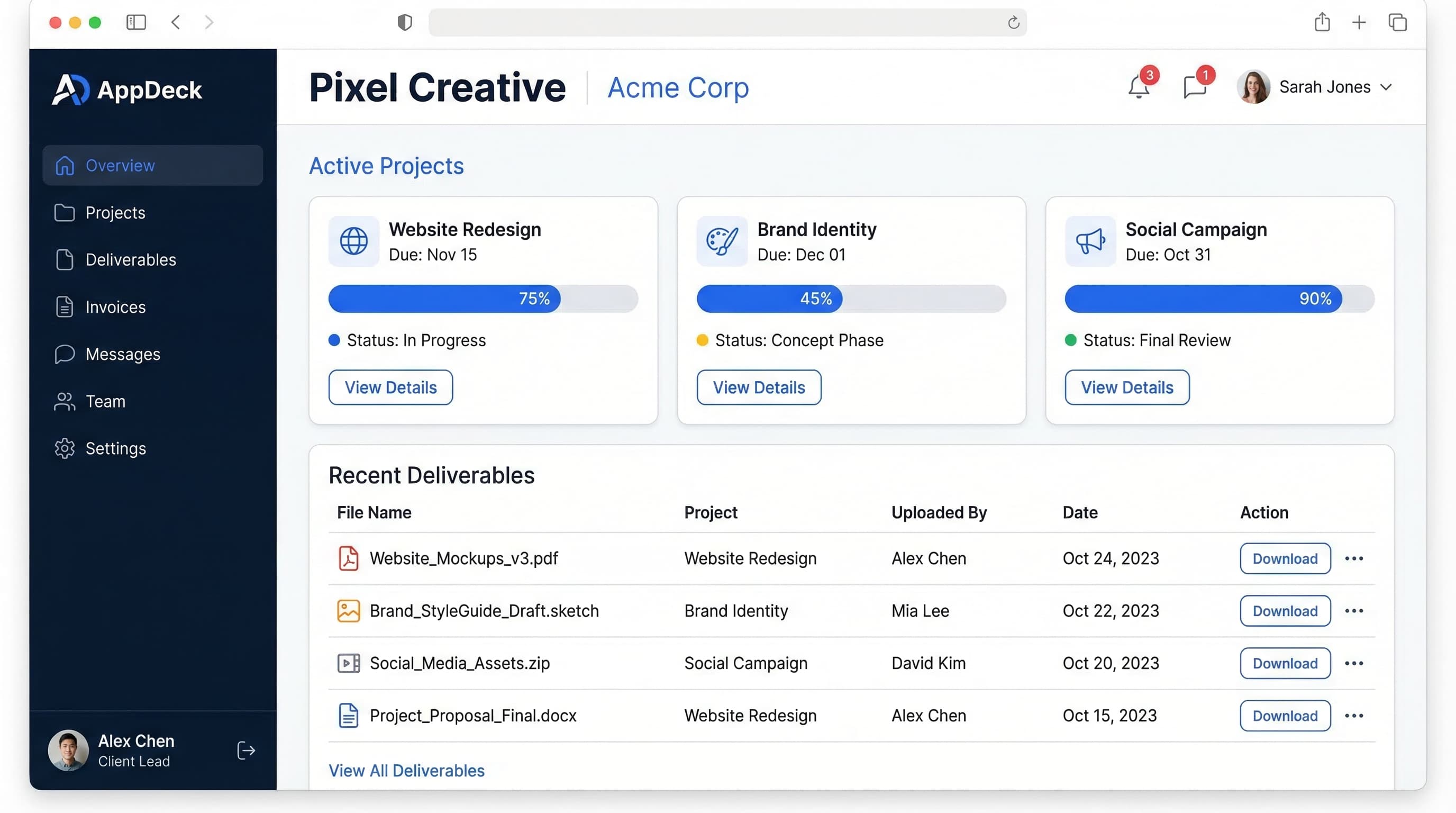
How to Reduce Client Status Meetings by 80%: Agency Owner's Guide
Proven strategies to cut status meetings from 15 hours to 3 hours per week. Practical tactics used by successful agencies to improve client communication and productivity.
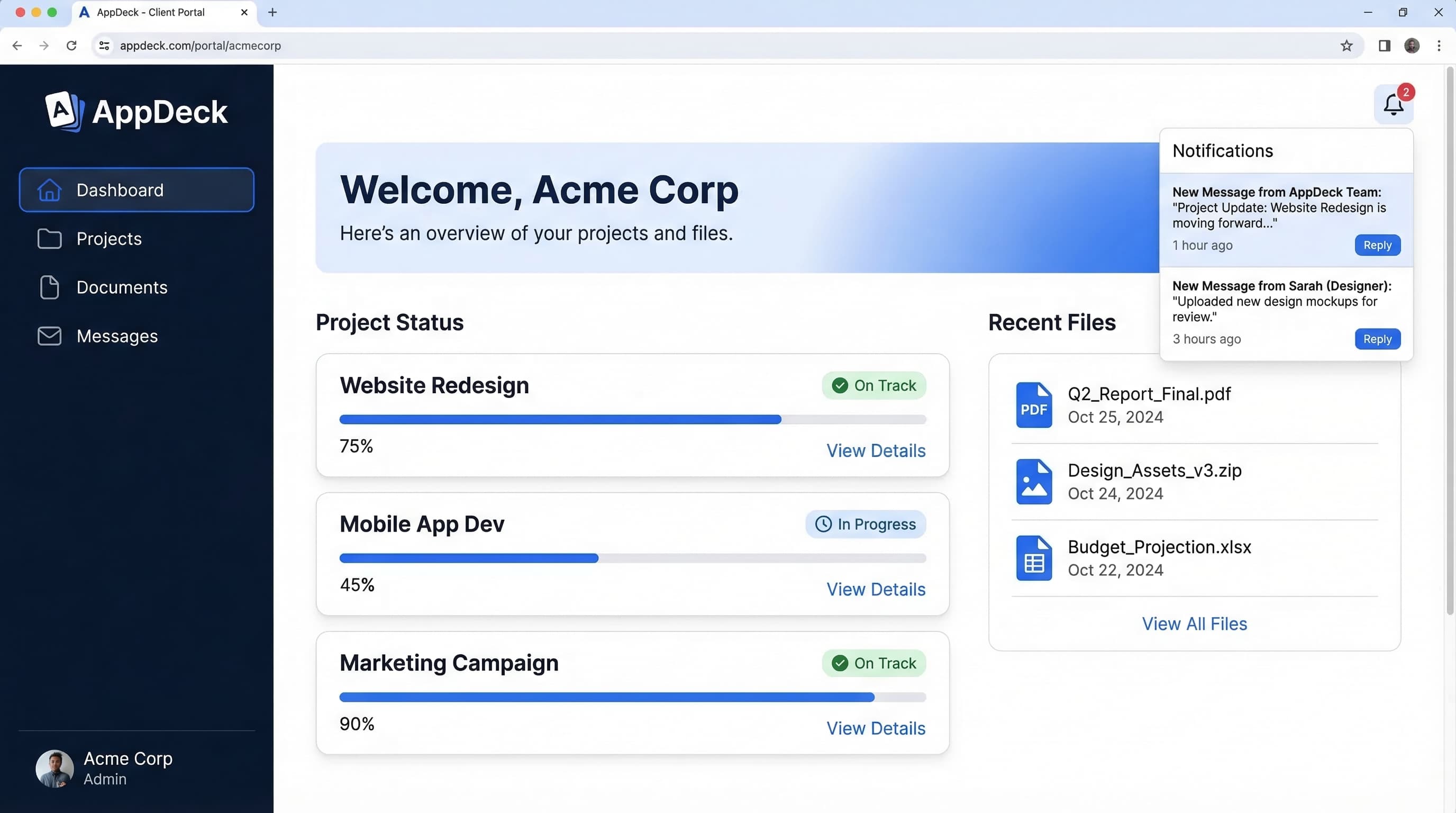
Client Portal Software for Accountants: 7 Best Platforms (2026)
Compare the best client portal software for accounting firms. Secure document sharing, e-signatures, billing integration, and client communication tools for CPAs and bookkeepers.
Client Portal Software for Agencies: Features, Pricing & Comparison (2026)
Compare the best client portal software for agencies. Features, pricing, and real reviews of top platforms to reduce status meetings and improve client communication.