
AppDeck is now in beta — start your free trial today
Roadmap — coming as customer demand validates
Project Portal is on the AppDeck portal-type roadmap. Our beta ships three products — Investor Data Rooms, Board Portals, and Executive Dashboards. We add additional portal types as customer demand validates them. Start a free trial to influence priority and get early access when Project Portal ships.
Client Project Portal — Launch in 30 Minutes
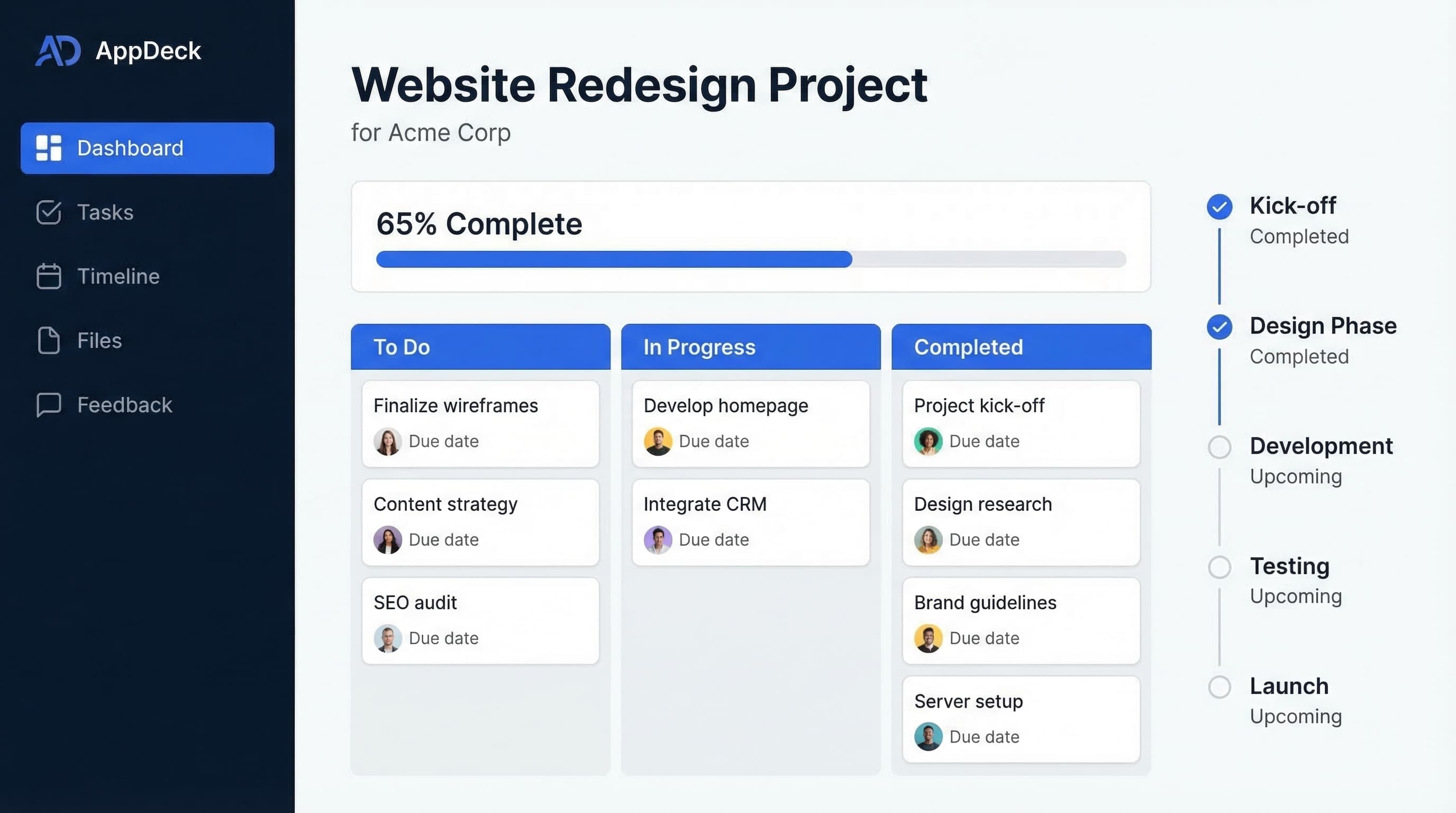
Transform project updates from weekly status emails to 24/7 real-time visibility. Clients see exactly where their project stands, always.
Launch in 30 minutes
Choose a template, connect your tools, and go live in under 30 minutes
Security-first architecture
Encryption at rest and in transit, granular permissions, and 2FA. Built for SOC 2 audit readiness.
White-label + branded
Your logo, your colors, your domain. Portals look like your own custom platform
Centralized insights & file sharing
All documents, reporting, dashboards, and collaboration in one secure place
Enterprise roles & permissions
Granular access controls, user management, and audit trails for compliance
How This Fits with Jira/Asana
Keep your existing workflow, show clients a professional view
Connect Your PM Tool
Link your Jira, Asana, or SmartSuite workspace. AppDeck syncs tasks, timelines, and project status automatically.
Customize What Clients See
Choose which projects, tasks, and timelines to share. Keep internal details private while showing clients what matters.
Clients See Real-Time Updates
As you update tasks in Jira or Asana, clients see changes in the portal automatically. No manual status updates needed.
Workflow Illustration
Your team works in Jira/Asana → AppDeck syncs → Clients see professional portal
Project Management Integrations
Connect your existing tools and workflows
Tasks, sprints, and issues
Projects and milestones
Workflows and tasks
Monday, Trello, Linear
Project Portal vs. Status Emails
See the difference professional project portals make
| Feature | Project Portal | Status Emails |
|---|---|---|
| Real-Time Updates | ✓ Automatic | Manual, weekly |
| 24/7 Client Access | ✓ | Only when you send |
| File Organization | ✓ Folders & search | Scattered attachments |
| Professional Image | ✓ Branded portal | Generic email |
| Time Spent | 0 hours/week | 2-5 hours/week |
| Client Questions | Reduced by 80% | Constant "status?" emails |
Included Features
Project transparency that delights clients
Live Task Tracking
Connect to Jira, Asana, or SmartSuite. Clients see project tasks and their status in real-time, no manual updates needed.
Timeline & Milestones
Visual project timelines with milestone tracking. Clients know exactly what's coming next and when to expect it.
File & Asset Delivery
Organized folders for deliverables, drafts, and final files. Clients always know where to find what they need.
Feedback & Approvals
Clients can comment, ask questions, and approve deliverables directly in the portal. All communication in one place.
Progress Dashboards
Visual progress indicators and completion percentages. Clients see how far you've come and what's left to do.
Smart Notifications
Clients get notified when milestones complete or deliverables are ready. Stay in sync without constant check-ins.
Stop Managing Expectations, Start Exceeding Them
For Your Team
- Reduce status meetings by 80%
- Stop writing update emails
- Focus on delivery, not reporting
- Professional image that wins referrals
For Your Clients
- 24/7 access to project status
- Confidence from transparency
- Easy file access and downloads
- No more "where are we?" questions
Frequently Asked Questions
Everything you need to know about Project Portal
Related Portal Solutions
Explore other portal types that might fit your needs
Launch Your Project Portal Today
Start with a template, connect your PM tools, and give clients transparency in 30 minutes.
Free 14-day trial • now in beta • Setup in minutes