
The Complete Guide to Customer Portals
Everything you need to know about customer portals — from self-service fundamentals to implementation, ROI, and choosing the right software for your team.
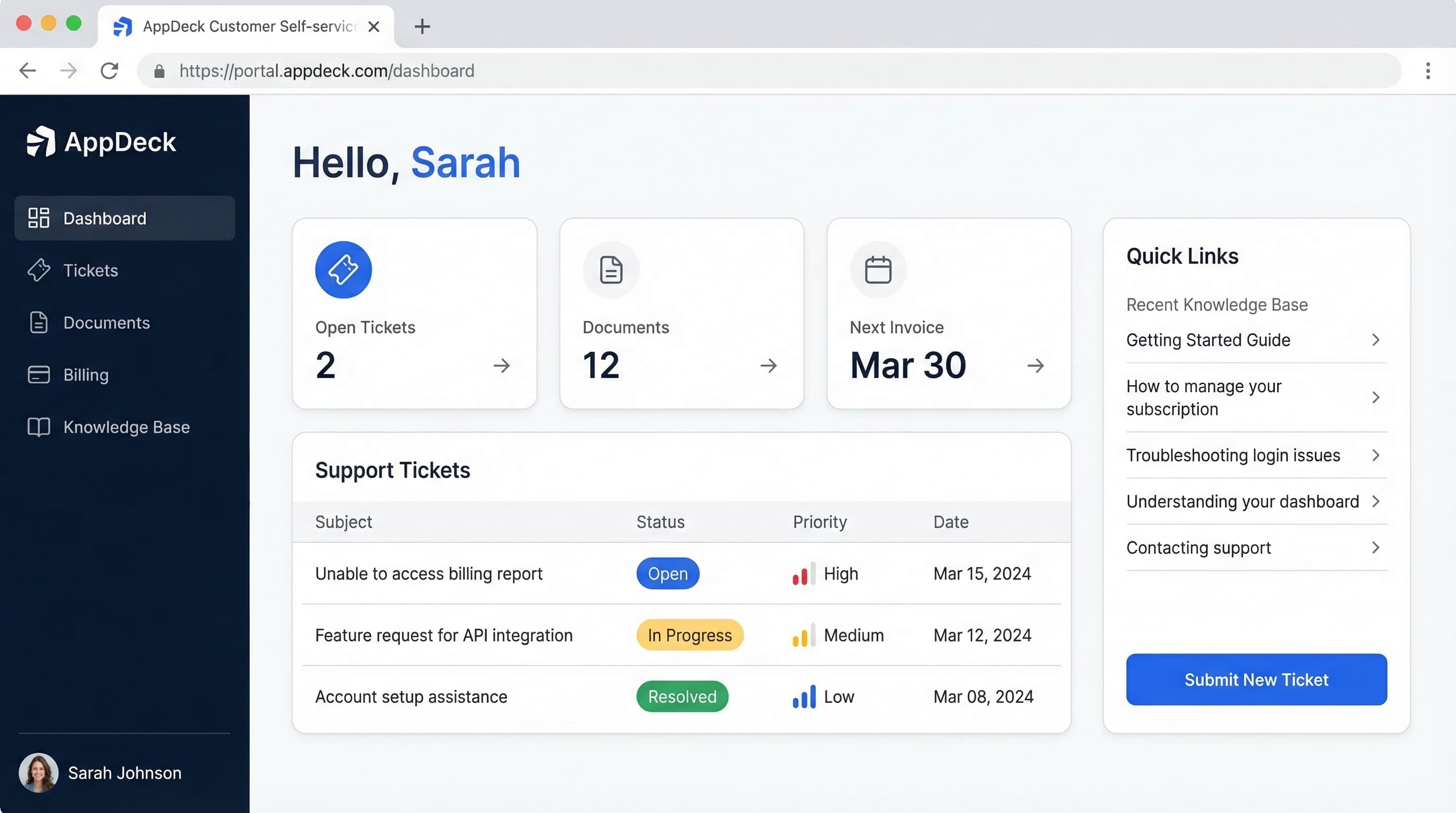
Table of Contents
What Is a Customer Portal?
A customer portal is a secure, branded web application where your customers can independently access their account information, submit and track support requests, browse help documentation, view invoices, and interact with your business — without needing to call or email your team.
Think of it as a digital front door for your customer relationships. Instead of scattering information across email threads, spreadsheets, and phone calls, a customer portal consolidates everything into a single, always-available hub.
Who Needs a Customer Portal?
Any business with recurring customer relationships benefits from a self-service portal. Common use cases include:
- SaaS companies providing account management and support ticketing
- Financial services sharing statements, reports, and billing
- Professional services firms managing ongoing client engagements
- E-commerce and subscription businesses handling orders, returns, and renewals
- Healthcare and insurance providers sharing records and claims status
If your support team spends significant time answering repetitive questions, forwarding documents, or updating customers on request status, a customer portal can automate those interactions and free your team to focus on high-value work.
Customer Portal vs Client Portal
The terms “customer portal” and “client portal” are often used interchangeably, but there are meaningful differences in scope and audience.
Customer Portal
- Designed for high-volume, self-service interactions
- Focus on support tickets, knowledge base, billing
- Scales to thousands or millions of users
- Emphasis on automation and ticket deflection
Client Portal
- Designed for deeper, relationship-driven engagements
- Focus on project collaboration, deliverables, approvals
- Typically fewer users with higher-touch interactions
- Emphasis on communication and transparency
In practice, many businesses need elements of both. For a detailed breakdown of when to use each approach, read our full comparison: Client Portal vs Customer Portal — What's the Difference?
Essential Customer Portal Features
The eight capabilities every modern customer portal should include.
Self-Service Access
Customers view and update account details, manage preferences, and handle routine tasks without contacting support.
Support Ticketing
Submit, track, and manage support requests with real-time status updates, priority levels, and SLA tracking.
Knowledge Base
Searchable help articles, FAQs, and how-to guides that let customers find answers before submitting a ticket.
Billing & Invoices
View invoices, payment history, and manage payment methods. Reduce billing inquiries and accelerate collections.
Real-Time Dashboards
Custom dashboards displaying usage metrics, order status, project progress, and KPIs — updated automatically.
Notifications & Alerts
Automated email and in-app notifications for ticket updates, renewals, billing reminders, and important events.
Mobile-Responsive
Fully responsive design that works seamlessly on desktop, tablet, and mobile. Customers access their portal from any device.
Strong Security
Look for AES-256 encryption, SSO, granular permissions, audit trails, and SOC 2 Type II attestation when evaluating a customer portal vendor.
How Customer Portals Reduce Support Costs
Self-service isn't just a convenience — it's a measurable cost reduction strategy.
Reduction in support ticket volume through self-service and knowledge base deflection
Cost per self-service interaction vs $15–$35 per agent-assisted interaction
Of customers would use a knowledge base if it met their needs (Zendesk research)
Calculating Your Customer Portal ROI
Use this framework to estimate the return on investment for implementing a customer portal:
Step 1: Measure current support costs
Calculate your average cost per ticket (agent salary + tools + overhead, divided by tickets handled). Most companies land between $15 and $35 per interaction.
Step 2: Identify deflectable tickets
Review your ticket categories. Account inquiries, billing questions, password resets, order status, and how-to questions are prime candidates for self-service deflection.
Step 3: Estimate deflection rate
A well-implemented portal with a knowledge base typically deflects 40–65% of incoming tickets in the first year.
Step 4: Calculate annual savings
Monthly tickets x deflection rate x cost per ticket x 12 = annual cost savings. Subtract portal software costs for net ROI. Most teams see positive ROI within the first quarter.
Building Your Customer Portal
Follow these steps to plan, launch, and optimize a customer portal that actually gets adopted.
Audit Your Current Support Workflow
Identify the most common customer requests, document which interactions could be self-service, and map out the information customers need most. Pull data from your ticketing system, CRM, and call logs.
Define Your Portal Scope
Decide which features to include in your initial launch. Start with the highest-impact capabilities — usually self-service account access, a knowledge base, and support ticketing — and expand from there.
Choose Your Platform
Evaluate portal software based on setup speed, customization options, security certifications, integration capabilities, and total cost of ownership. Avoid platforms that require months of custom development.
Configure Branding & Permissions
Apply your brand identity (logo, colors, custom domain) and set up role-based access controls. Define what each customer segment can see and do within the portal.
Build Your Knowledge Base
Create help articles for your top 20 most-asked questions. Use clear titles, step-by-step instructions, and screenshots. This content drives the majority of ticket deflection.
Pilot with a Small Group
Invite a segment of engaged customers to test the portal before a full rollout. Gather feedback on usability, missing features, and pain points. Iterate before scaling.
Launch & Drive Adoption
Announce the portal via email, in-app messaging, and during support interactions. Train your support team to direct customers to the portal for routine requests. Track adoption metrics and iterate.
Customer Portal Software Comparison
The market has dozens of options. Here's how the major platforms stack up.
| Criteria | AppDeck | Zendesk | Salesforce | Freshdesk |
|---|---|---|---|---|
| Setup Time | 30 minutes | Weeks | Months | Weeks |
| White-Label Branding | Full | Limited | Full | Limited |
| Knowledge Base | ✓ | ✓ | ✓ | ✓ |
| Real-Time Dashboards | ✓ | Limited | Limited | Limited |
| Security Posture | Security-first architecture (roadmap to SOC 2) | ✓ | ✓ | ✓ |
| Pricing Model | Transparent | Per-agent | Enterprise | Per-agent |
For a detailed, feature-by-feature breakdown with pricing tiers and user reviews, read our full comparison guide:
Related Guides
Go deeper with our in-depth guides
Ready to Launch Your Customer Portal?
Go from zero to a fully branded, self-service customer portal in under 30 minutes. No code required.
Free 14-day trial • now in beta • Enterprise-grade security