
7 Free Board Management Software Options (And When to Upgrade)
Compare 7 free board management software options for 2026. Features, limitations, and honest advice on when free tools work — and when they'll cost you more than paid software.
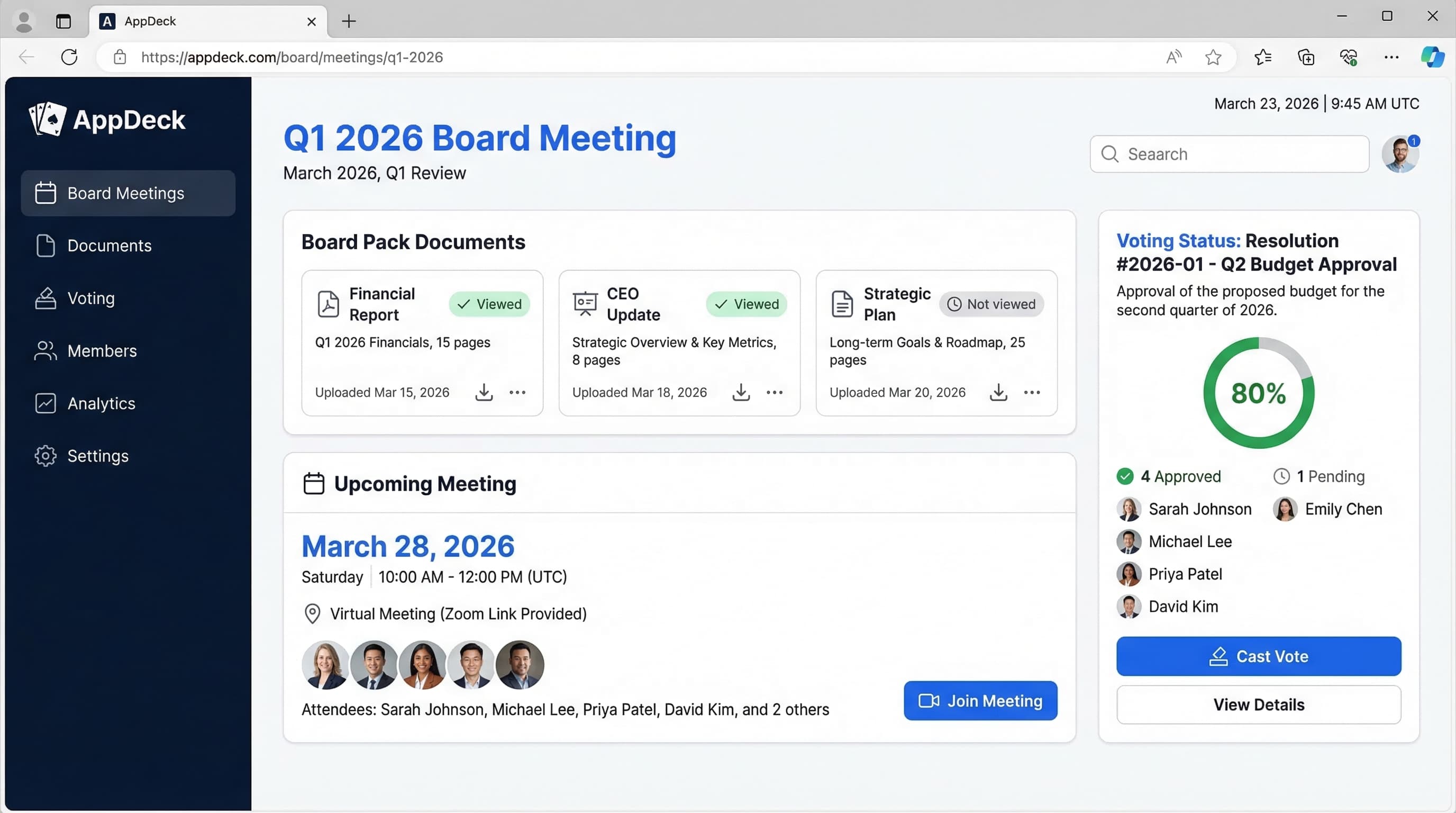
TL;DR: Compare 7 free board management software options for 2026. Features, limitations, and honest advice on when free tools work — and when they'll cost you more than paid software.
Introduction
I get it. You're searching for free board management software because you have a real governance need and a budget that says otherwise. Maybe you're running a small nonprofit board with zero technology budget. Maybe you're a startup founder with an advisory board of three people and paying $300/month for software feels absurd at this stage. Or maybe you're a board secretary who's been told to "figure out something better than email" without any budget to do it.
You're not wrong to look. Free options do exist, and for certain situations, they work perfectly fine. But after helping 80+ organizations implement board governance solutions over 19+ years, I've watched dozens of teams start with free tools, struggle for 6-12 months, and eventually move to a purpose-built board portal anyway—often after a security scare, a compliance issue, or a frustrated director threatening to resign.
This guide is my honest assessment. I'll walk you through seven genuinely free (or freemium) ways to manage a board, explain exactly where each one falls short, and help you figure out whether free board management software is a smart move for your organization—or a ticking time bomb.
Full disclosure: I'm the founder of AppDeck, a paid board portal platform. I'll be upfront about that bias. But I also genuinely believe that some organizations don't need paid software yet, and I'd rather you use the right tool than overspend on something you'll underuse.
Can You Really Run a Board on Free Software?
The short answer: yes, but only under very specific conditions.
Free board management software works when:
- ✅ Your board has fewer than 5 members
- ✅ You meet quarterly or less frequently
- ✅ Materials are not highly confidential (no M&A, no sensitive financials)
- ✅ You have no regulatory compliance requirements (SOX, HIPAA, etc.)
- ✅ Directors are tech-savvy and self-sufficient
- ✅ You don't need audit trails or voting records
- ✅ Someone on staff has time to manually manage everything
Free board software does not work when:
- ❌ You handle confidential financial data, legal matters, or M&A discussions
- ❌ Regulatory bodies require audit trails and access controls
- ❌ You have external directors who expect a professional experience
- ❌ Your board has 5+ members with varying levels of tech comfort
- ❌ You need voting, e-signatures, or resolution tracking
- ❌ Security and data governance are non-negotiable
- ❌ Administrative staff are already stretched thin
If you're in the first camp, read on—I'll show you how to make free tools work. If you're in the second camp, skip to When You Need to Pay or go straight to our board portal comparison to find something in your budget.
The 7 Free Board Management Software Options
1. Google Workspace (Docs + Drive + Calendar)
Cost: Free (personal Gmail) or included with existing Google Workspace subscription
How to set it up for board use:
- Create a shared Google Drive folder structure: one folder per meeting, subfolders for agendas, minutes, financials, and reference materials
- Use Google Docs templates for agendas, minutes, and resolutions
- Set up a shared Google Calendar with recurring meeting invites
- Use Google Meet links for virtual attendance
- Create a "Board Resources" shared drive for policies and bylaws
Best for: Advisory boards, very early-stage startup boards, informal governance
What works:
- ✅ Real-time collaboration on documents
- ✅ Everyone already knows how to use Google Docs
- ✅ Free unlimited storage (with personal Gmail, 15 GB; with Workspace, 30 GB+)
- ✅ Solid search functionality across all documents
- ✅ Mobile access through Google Drive app
- ✅ Version history on every document
What doesn't:
- ❌ No audit trail showing who accessed which documents and when
- ❌ No voting or resolution tracking
- ❌ No engagement analytics (did directors actually read the board packet?)
- ❌ Sharing permissions are clumsy—one wrong click shares with "anyone with a link"
- ❌ No way to build a structured board packet or book
- ❌ Confidential materials sit in the same ecosystem as personal email
- ❌ Directors can download, copy, or forward anything with no tracking
- ❌ No offline access to board materials without manual downloads
My honest take: Google Workspace is the best free option for boards that don't handle sensitive materials. If your advisory board is five people reviewing quarterly updates and you're pre-revenue, this works. But the moment you have a single document you'd be uncomfortable seeing leaked—financial projections, compensation data, legal opinions—Google Drive is not the right home for it.
2. Microsoft 365 (SharePoint + Teams + OneNote)
Cost: Free (limited personal accounts) or included with existing Microsoft 365 subscription
How to set it up for board use:
- Create a SharePoint site dedicated to board governance
- Use document libraries with folders for each meeting cycle
- Set up a Teams channel for board communications
- Use OneNote for collaborative meeting notes
- Leverage Planner for action item tracking
- SharePoint permissions for access control
Best for: Organizations already deeply invested in the Microsoft ecosystem
What works:
- ✅ Stronger permission controls than Google (SharePoint site-level access)
- ✅ Familiar interface for enterprise users
- ✅ Good document co-authoring in Word and Excel
- ✅ Teams provides a communication channel
- ✅ Some version history and audit capabilities
- ✅ Integration with Outlook calendars
What doesn't:
- ❌ SharePoint setup for board use is genuinely complex—plan 20+ hours of configuration
- ❌ No governance-specific features (voting, resolutions, meeting workflows)
- ❌ Mobile experience for SharePoint is poor, and directors will complain
- ❌ No board book assembly or distribution tools
- ❌ No engagement tracking (did they open the CFO report or just skim the agenda?)
- ❌ Requires an IT admin to maintain properly
- ❌ Directors unfamiliar with SharePoint will struggle
- ❌ Teams notification overload drowns out board-specific communications
My honest take: If your organization already pays for Microsoft 365 and you have an IT person who can build out a proper SharePoint site, this can work for a mid-size board. But "can work" and "works well" are different things. I've seen organizations spend 40+ hours configuring SharePoint for board use, only to have directors refuse to log in because the experience is too clunky. The mobile experience alone is a dealbreaker for most board members who review materials on tablets during travel.
3. Notion
Cost: Free for personal use (limited blocks); $10/member/month for team use
How to set it up for board use:
- Create a board workspace with pages for each meeting
- Build a meeting database with templates (agenda, minutes, action items)
- Use Notion's document templates for consistent formatting
- Set up a board member directory with contact info and term dates
- Create a board resolution tracker as a database
Best for: Tech-savvy boards, startup advisory boards, boards with younger members
What works:
- ✅ Beautiful, modern interface that directors actually enjoy using
- ✅ Flexible database views for tracking meetings, resolutions, and action items
- ✅ Strong template system for standardizing governance documents
- ✅ Good search across all board content
- ✅ Comments and discussions on any page
- ✅ Clean mobile app
What doesn't:
- ❌ Free tier is extremely limited (1,000 block limit makes it useless for board packets)
- ❌ No granular permissions—you can't restrict a director from seeing specific sections easily
- ❌ No offline access (directors on flights can't review board packets)
- ❌ Limited security certifications (SOC 2 Type II, but no FedRAMP, no HIPAA)
- ❌ No audit trail showing document access history
- ❌ No built-in voting, e-signatures, or formal resolution workflows
- ❌ No integration with board meeting workflows (agenda timers, attendance)
- ❌ Content is stored in Notion's proprietary format—hard to export cleanly
My honest take: Notion is the most enjoyable free-ish tool to use for board management, and if your board members are tech-forward, they'll appreciate the clean design. But the free tier's block limit makes it impractical for anything beyond a couple of meetings. Once you move to the paid team tier ($10/member/month), you're spending $50-100/month for a tool that still lacks governance-specific features—at which point a purpose-built board portal at a similar price point gives you dramatically more functionality.
4. Trello (Free Tier)
Cost: Free (up to 10 boards, unlimited cards)
How to set it up for board use:
- Create a board (pun intended) for each meeting cycle
- Use lists for: Agenda Items, Discussion Topics, Decisions Made, Action Items
- Attach documents to cards (10 MB limit on free tier)
- Use labels for priority and status
- Set due dates on action items with assigned members
- Create a recurring "Board Meeting Prep" checklist template
Best for: Simple action item tracking between meetings, task-oriented boards
What works:
- ✅ Dead simple to use—minimal training needed
- ✅ Visual Kanban view makes action item status obvious
- ✅ Due dates and assignments create accountability
- ✅ Mobile app is solid
- ✅ Free tier is genuinely useful (no crippling limitations for small boards)
- ✅ Good for tracking what happened between meetings
What doesn't:
- ❌ Not designed for document-heavy work—10 MB attachment limit on free tier
- ❌ No way to assemble or distribute a board packet
- ❌ No security features appropriate for confidential board materials
- ❌ No audit trail, no access controls, no encryption at rest
- ❌ No voting, resolutions, or governance-specific workflows
- ❌ Terrible for long-form documents (minutes, reports, financials)
- ❌ Directors who aren't "project management tool people" will find it odd
My honest take: Trello is excellent for one specific board need: tracking action items between meetings. If your board's biggest problem is that decisions get made and then nothing happens until the next meeting, a shared Trello board can create visibility and accountability. But it's a terrible primary board management tool. Use it as a supplement, not a replacement.
5. Boardable (Free Tier)
Cost: Free tier available (limited to 1 board, basic features)
How to set it up for board use:
- Sign up for the free plan
- Add board members (limited seats on free tier)
- Create meetings with agendas
- Upload documents to the document center
- Use the basic meeting management tools
Best for: Small nonprofit boards testing the waters before committing to a paid plan
What works:
- ✅ Actually designed for board management—not repurposed project management software
- ✅ Basic meeting management (agendas, scheduling)
- ✅ Document storage and sharing
- ✅ Built specifically for nonprofit governance
- ✅ Good onboarding experience
- ✅ Clean, simple interface
What doesn't:
- ❌ Free tier is heavily feature-gated (no voting, limited storage, limited users)
- ❌ Very limited document storage on free plan
- ❌ No board book assembly
- ❌ No audit trails on free tier
- ❌ No engagement analytics
- ❌ Limited to basic meeting management—advanced governance features require paid plans
- ❌ The free tier feels like a demo, not a real product
My honest take: Boardable's free tier is the only option on this list that's actually built for board governance. That matters. But the free plan is essentially a trial with no expiration date—it gives you just enough to see the value, then gates everything useful behind paid plans starting at $79/month. For nonprofit boards with zero budget, it's worth trying. Just go in knowing you'll likely need to upgrade within a few months. For a broader comparison of paid options, see our board portal pricing breakdown.
6. Free Trials of Paid Board Portals
Cost: Free for 14-30 days
This isn't technically "free board management software," but it's worth mentioning because many organizations overlook it: most quality board portal platforms offer free trials that give you full access to all features.
Platforms with free trials:
- AppDeck — Full-featured trial, no credit card required
- OnBoard — 14-day trial with guided onboarding
- BoardPro — Free trial with sample data
- Govenda — Demo environment available
Why this approach works:
- ✅ You get to test real board portal features (voting, board books, audit trails)
- ✅ Import your actual board data and see how it works in practice
- ✅ Directors can test the mobile experience before you commit
- ✅ No risk—cancel if it doesn't work
- ✅ Sales teams will often extend trials if you're genuinely evaluating
How to maximize a free trial:
- Prepare your next board meeting's actual materials before starting the trial
- Upload real documents, create real agendas, and invite at least 2-3 directors
- Run one actual meeting (or a mock meeting) using the platform
- Test the mobile experience—have directors review materials on their tablets and phones
- Check the admin experience: how easy is it to build a board book, track engagement, manage documents?
My honest take: If you're reading this article because you're trying to decide between "free forever" and "paid," I'd strongly recommend doing a free trial of a purpose-built board portal before committing to a DIY approach. Many organizations are surprised to find that board portals are more affordable than they assumed—some start under $100/month—and the time savings pay for themselves within the first meeting cycle. Our guide to choosing the right board portal walks through the evaluation process in detail.
7. DIY with Email + PDF
Cost: Free (in terms of software)
The setup most organizations actually use:
- Board packets compiled in Word or PowerPoint, exported as PDFs
- Materials emailed to directors as attachments (or Dropbox/Google Drive links)
- Calendar invites for meeting scheduling
- Minutes typed up in Word and emailed after meetings
- Action items tracked in a spreadsheet (or, more commonly, not tracked at all)
Best for: Honestly? No one. But it's what most organizations default to.
What "works":
- ✅ No new tools to learn
- ✅ No software costs
- ✅ Everyone knows how to use email
What actually happens:
- ❌ Board packets take 8-15 hours to compile, format, and distribute each cycle
- ❌ Directors can't find last quarter's materials (buried in email)
- ❌ "Did you get the updated version?" becomes a recurring question
- ❌ Confidential financials sit in 12 different personal email accounts, forever
- ❌ No audit trail—you have no idea if directors actually read the materials
- ❌ Version control is nonexistent (which P&L is the final one?)
- ❌ Action items from last meeting are forgotten until someone checks old minutes
- ❌ New board members have zero access to historical materials
- ❌ One director forwards the email to their personal assistant—now confidential data is on an unsecured personal device
My honest take: Email + PDF isn't free. It's the most expensive option on this list. You're paying for it in administrative hours, security risk, and governance quality. I go deeper on this in the next section.
Free vs. Paid: What You're Really Giving Up
Here's a direct comparison of what free tools offer versus what a paid board portal delivers:
| Feature | Free Tools (Google/MS/Notion) | Paid Board Portal |
|---|---|---|
| Document storage | ✅ Yes | ✅ Yes |
| Board book assembly | ❌ Manual | ✅ Automated |
| Granular permissions | ❌ Basic sharing | ✅ Role-based access control |
| Audit trail | ❌ No | ✅ Complete access logs |
| Engagement tracking | ❌ No | ✅ Who read what, when |
| Voting & resolutions | ❌ No | ✅ Built-in with records |
| E-signatures | ❌ No | ✅ Legally binding |
| Offline access | ❌ Limited | ✅ Full offline mode |
| Board book on tablet | ❌ Clunky PDFs | ✅ Native app experience |
| Meeting minutes | ❌ Manual in Docs | ✅ Templated with action items |
| Action item tracking | ❌ Spreadsheet | ✅ Automated follow-up |
| Security certifications | ❌ General-purpose | ✅ Purpose-built security (SOC 2, encryption, DLP typical) |
| Director onboarding | ❌ DIY | ✅ Guided setup |
| Compliance reporting | ❌ No | ✅ Built-in |
| Dedicated support | ❌ No | ✅ Governance experts |
The gap isn't just about features—it's about the kind of tool you're using. Google Drive is designed to store files. A board portal is designed to run a board. The difference matters the same way a spreadsheet technically "works" for accounting but QuickBooks exists for a reason.
When Free Board Management Software Works
Free tools are a legitimate choice when all of the following are true:
Your board is small and informal:
- Advisory board with 3-5 members
- No external directors with formal governance expectations
- Everyone knows each other well and communicates casually
Your materials aren't sensitive:
- No confidential financials that would damage the company if leaked
- No M&A discussions, legal matters, or compensation data
- No regulatory requirements around data handling
You have time but not money:
- Someone on the team has 5-10 hours per board cycle to manage logistics manually
- You're pre-revenue or early-stage and every dollar matters
- Software budget genuinely doesn't exist (not "it's not a priority")
You have no compliance obligations:
- No SOX, HIPAA, GDPR, or industry-specific requirements
- No auditors asking for governance documentation
- No fiduciary duty concerns that require documented processes
If that sounds like your organization, start with Google Workspace or Notion. You can always upgrade later. And when you do decide to upgrade, our board portal buyer's guide will help you evaluate your options.
When You Need to Pay
Upgrade from free to paid board management software when any one of these is true:
You handle confidential information: Board discussions about financials, executive compensation, legal matters, or strategic transactions require real security—not "shared Google Drive link" security. A single leaked document can cost more than a decade of board portal subscriptions.
You have compliance or regulatory obligations: SOX compliance, nonprofit audit requirements, HIPAA, GDPR—if any regulator or auditor can ask "show me your governance documentation and access controls," you need a platform that provides audit trails and access logs. Free tools don't.
Your board has 5+ members: At five or more directors, the administrative burden of manual board management becomes unsustainable. Formatting board packets, tracking who's read what, following up on action items, managing voting—it all multiplies with every additional member.
You have external directors: Outside directors expect a professional governance experience. Sending them a Google Drive link and a calendar invite signals that your organization doesn't take governance seriously. First impressions matter when recruiting quality board members.
Administrative time is valuable: If your board administrator, corporate secretary, or executive assistant is spending 10+ hours per board cycle on logistics that software could automate, you're paying more in labor than a board portal costs.
Your board wants real-time dashboards: If directors need access to live metrics alongside board materials, pairing a board portal with an executive dashboard gives them the full picture—something no combination of free tools can replicate.
The Hidden Cost of Free Board Management Software
Let's do the math that nobody does before choosing free tools.
The Time Cost
Typical board meeting cycle (quarterly) using free tools:
| Task | Hours per cycle |
|---|---|
| Collecting materials from presenters | 2-3 hours |
| Formatting and assembling board packet | 3-5 hours |
| Distributing materials (email, follow-up) | 1-2 hours |
| Fielding "where is X document?" questions | 1-2 hours |
| Compiling minutes after the meeting | 2-3 hours |
| Tracking and following up on action items | 1-2 hours |
| Managing document versions | 1-2 hours |
| Total per cycle | 11-19 hours |
| Total per year (quarterly meetings) | 44-76 hours |
With a paid board portal, those same tasks take:
| Task | Hours per cycle |
|---|---|
| Uploading materials and building board book | 1-2 hours |
| Distribution (automatic) | 0 hours |
| Document questions (self-service portal) | 0.5 hours |
| Minutes (templated, linked to agenda) | 1 hour |
| Action item tracking (automated reminders) | 0.5 hours |
| Version management (automatic) | 0 hours |
| Total per cycle | 3-4 hours |
| Total per year (quarterly meetings) | 12-16 hours |
Time saved: 30-60 hours per year.
The Dollar Math
If your board administrator or corporate secretary earns $35-75/hour (fully loaded), those 30-60 hours cost:
- Low end: 30 hours x $35 = $1,050/year in labor
- High end: 60 hours x $75 = $4,500/year in labor
A purpose-built board portal like AppDeck costs a fraction of that. Even the most budget-conscious organization is spending more on manual work than a subscription would cost.
The Risk Cost
Then there's the cost you can't easily calculate:
- Data breach from emailed board materials: Average cost of a data breach involving board-level information is catastrophic—legal fees, regulatory fines, reputational damage
- Compliance failure: Failed audits, regulatory penalties, personal liability for directors
- Director disengagement: When materials are hard to access, directors show up unprepared. Unprepared directors make bad decisions
- Recruitment impact: Quality director candidates decline board seats when governance looks unprofessional
Free board management software isn't free. It's a trade—you're exchanging money for time, risk, and governance quality.
How to Transition from Free to Paid
If you've been using free tools and you're ready to upgrade, here's how to make the transition smooth:
Step 1: Document what's broken. Before pitching the board on a paid solution, catalogue specific pain points: missed action items, security incidents, hours spent on manual tasks, director complaints. Numbers and examples make the case.
Step 2: Set a realistic budget. Board portals range from $79/month (basic) to $4,000+/month (enterprise). Most small to mid-size organizations find the right fit between $100-$500/month. See our detailed pricing comparison for specifics.
Step 3: Run a free trial. Don't commit based on a demo. Run your next actual board meeting through the platform. Upload real materials, invite real directors, and see how it works in practice.
Step 4: Migrate historical materials. Upload the last 2-3 years of board packets, minutes, and resolutions. Directors need access to historical context, and having everything in one place immediately demonstrates value.
Step 5: Get director buy-in early. Invite 2-3 influential directors to test the platform before rolling it out to the full board. If they champion it, adoption follows. For a complete walkthrough, read our guide to creating a professional board portal.
Frequently Asked Questions
Is there truly free board management software?
Yes, but with significant limitations. Boardable offers a free tier with basic meeting management. Google Workspace and Microsoft 365 can be configured for board use at no additional cost if you already subscribe. However, no free option provides the security, audit trails, and governance-specific features that purpose-built board portals offer.
What's the best free board management software for nonprofits?
Boardable's free tier is specifically designed for nonprofit boards and is the best starting point. Google Workspace for Nonprofits (free for qualifying 501(c)(3) organizations) is another solid option. For nonprofit boards with more than 5 members or any compliance requirements, a paid platform becomes necessary quickly. We cover nonprofit-specific options in our nonprofit board portal guide.
Can I use Google Docs as a free board portal?
You can use Google Docs to manage basic board operations—agendas, minutes, and document sharing. But it lacks audit trails, voting capabilities, engagement tracking, and the security features that define a true board portal. It's a document tool, not a governance tool.
How much does paid board management software actually cost?
Paid board portals range from approximately $79/month for basic plans to $4,000+/month for enterprise solutions. Most small to mid-size boards find suitable options in the $100-$500/month range. Per-director pricing models can make costs unpredictable as your board grows—flat-rate pricing is generally better. See our pricing comparison for detailed breakdowns.
What security risks come with free board management tools?
The primary risks are: no audit trail of who accessed sensitive documents, no data loss prevention controls, no encryption designed for confidential governance materials, and no ability to remotely wipe access if a director leaves. With free tools, confidential board materials can be downloaded, forwarded, and stored on personal devices with no oversight.
When should a startup switch from free to paid board software?
Most startups should upgrade when they raise a Series A or take on institutional investors who expect professional governance. At that point, you'll have external directors, confidential financial data, and board members who've served on other boards with proper portals. The investment signal also means you can afford $100-300/month for governance infrastructure.
Do free board management tools meet SOX compliance requirements?
No. SOX compliance requires documented access controls, audit trails, and data retention policies that no free tool provides. Public companies or companies preparing for IPO need a purpose-built board portal with compliance certifications. This is non-negotiable.
What's the fastest way to evaluate if I need paid board software?
Ask yourself three questions: (1) Does our board handle any information that would be damaging if leaked? (2) Does anyone—auditors, regulators, investors—require governance documentation? (3) Is our board administrator spending more than 10 hours per meeting cycle on logistics? If you answered yes to any of those, free tools are costing you more than paid software would.
Related Reading

Founder & CEO, AppDeck
Serial entrepreneur with 20+ years building B2B software companies. Former executive managing 2,800+ employees across three continents. Vik reviews all AppDeck content for accuracy and practical relevance.
Share this article
Explore Related Solutions
Related Articles
Best Board Portal Software for Nonprofits: 2026 Comparison & Buyer's Guide
Compare the best board management software for nonprofits in 2026. Features, pricing, and honest reviews of 9 platforms designed for volunteer boards, compliance, and limited budgets.
Best Board Portal Software 2026: 12 Platforms Compared (Real Pricing, Pros & Cons)
12 board portals compared side-by-side with the real 2026 pricing vendors hide, from $79/mo to $30K+/yr. Diligent, OnBoard, Boardable, BoardPro, Aprio, Ansarada, AppDeck & more, with honest pros, cons, and reviews.
How to Choose Board Portal Software: Complete Buyer's Guide 2026
Step-by-step guide to selecting the right board portal software. Evaluation criteria, must-have features, vendor assessment questions, RFP template, and red flags to avoid.