
What is a Client Portal?
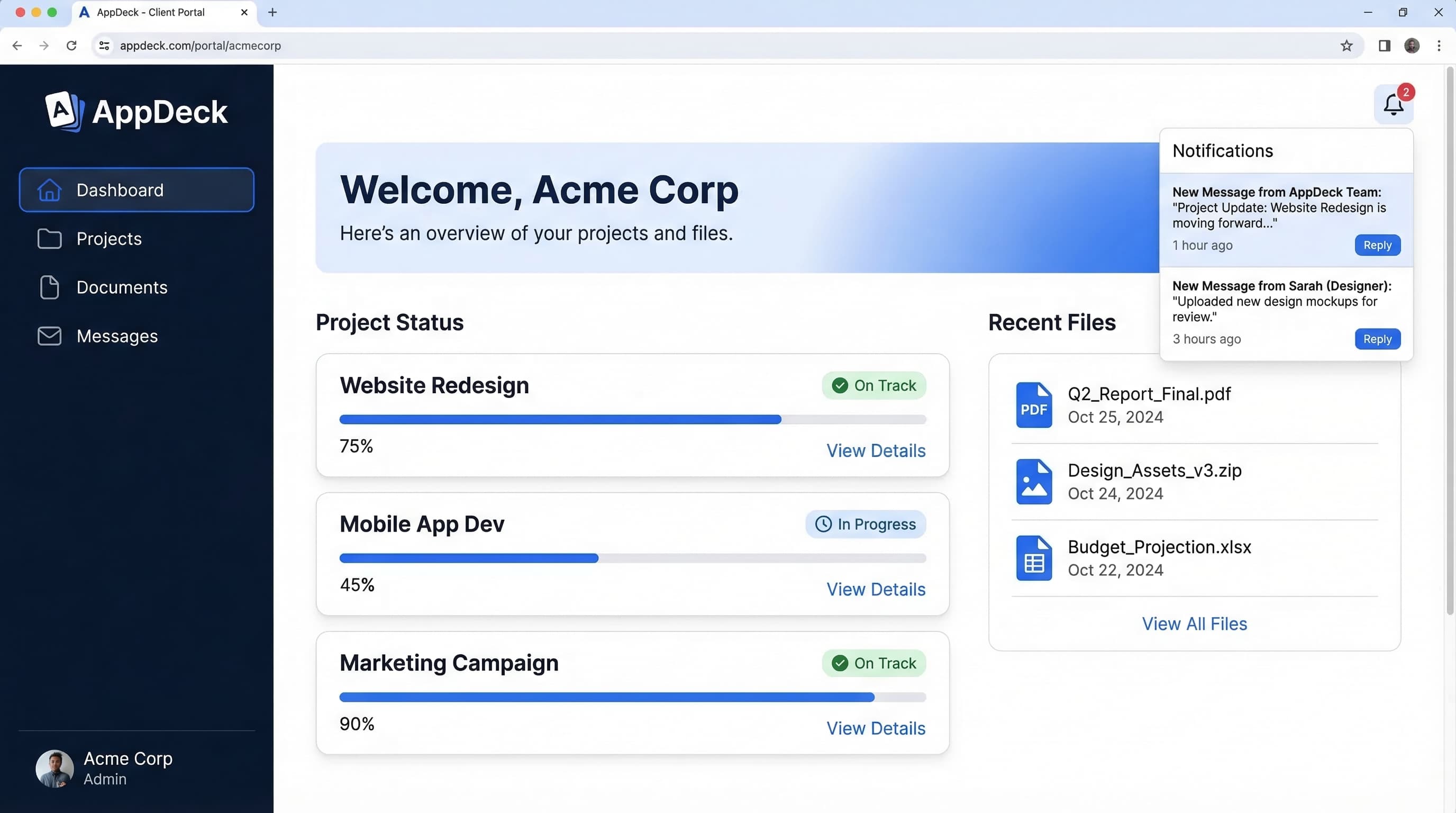
A client portal is a branded, self-service workspace where agencies and consultants share deliverables, collect feedback, and track project progress with clients. It replaces scattered emails and file links with a unified hub that reflects your brand. Clients log in to review work, approve milestones, and access invoices in one place.
Client portals transform the way professional services firms interact with their customers. Instead of sending attachments back and forth, teams upload deliverables to a structured workspace where clients can preview, comment, and approve files. White-label branding means the portal carries your logo and colors, reinforcing trust and professionalism at every touchpoint.
Project visibility is a major benefit. Clients see real-time status updates, upcoming milestones, and outstanding action items without having to schedule a status call. Automated notifications keep everyone aligned, reducing the "just checking in" emails that consume valuable billable hours. Integrated messaging threads keep feedback tied to specific deliverables, so nothing gets lost.
Beyond project delivery, client portals can house invoices, contracts, and shared knowledge bases. This consolidation makes it easy for clients to find what they need and for firms to demonstrate the full scope of value they provide. Over time, the portal becomes a living record of the relationship, useful for renewals, case studies, and onboarding new team members.
Key Features
Common Use Cases
- 1Marketing agencies sharing campaign reports with clients
- 2Law firms providing case document access
- 3Accounting firms distributing tax filings and financial statements
- 4Design studios collecting creative feedback and approvals
- 5IT consultants tracking project milestones and deliverables
Related Terms
White-Label Software
White-label software is a product built by one company and rebranded by another to appear as their own. It allows businesses to offer polished, feature-rich software under their own brand without building from scratch. This approach accelerates time-to-market and lets companies focus on sales and customer relationships instead of engineering.
Portal Software
Portal software is a platform for building secure, role-based web portals that connect organizations with their stakeholders. It provides the building blocks for document sharing, user management, notifications, and integrations without requiring custom development. Teams use portal software to launch board portals, client portals, vendor portals, and other stakeholder hubs.
Ready to Get Started?
Launch your portal in 30 minutes. Choose a portal type and see it in action.